
 Add-ons
 Models
 Materials
 HDRIs
HDRIs
 Scenes
 Brushes
 Node Groups
 Printables
 Creators
 Creations

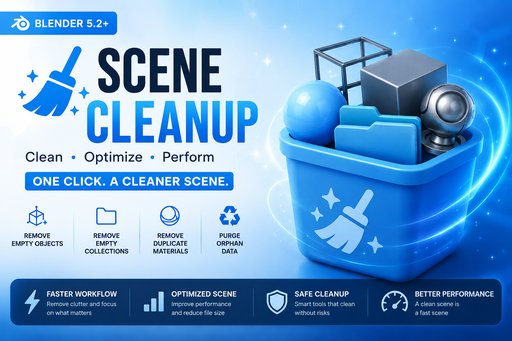
🧹 Scene Cleanup Pro
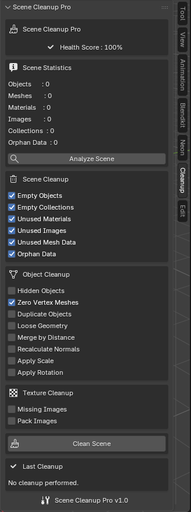
Features 📊 Scene Analysis
🧹 Scene Cleanup
🛠 Object Cleanup
🖼 Texture Cleanup
💡 Clean User Interface
Installation
Professional Scene Cleanup & Optimization Extension for Blender 5.2
Scene Cleanup Pro helps keep Blender projects clean, organized, and optimized by removing unused data, fixing common scene issues, and providing a quick overview of scene health.
Features 📊 Scene Analysis
- Scene Health Score
- Object Statistics
- Mesh Statistics
- Material Count
- Image Count
- Collection Count
- Orphan Data Count
- Missing Image Detection
- Hidden Object Detection
- Zero-Vertex Mesh Detection
🧹 Scene Cleanup
- Remove Empty Objects
- Remove Empty Collections
- Remove Unused Materials
- Remove Unused Images
- Remove Unused Mesh Data
- Purge Orphan Data
🛠 Object Cleanup
- Delete Hidden Objects
- Delete Zero-Vertex Meshes
- Remove Duplicate Objects
- Remove Loose Geometry
- Merge by Distance
- Recalculate Normals
- Apply Scale
- Apply Rotation
🖼 Texture Cleanup
- Remove Missing Images
- Pack All Images
💡 Clean User Interface
- Blender 5.2 native UI
- Sidebar Panel
- One-click Analyze
- One-click Cleanup
- Live Statistics
- Health Score Indicator
Installation
- Download the extension ZIP.
- Open Blender 5.2.
- Go to:
Edit → Preferences → Extensions
- Click Install from Disk.
- Select the ZIP file.
- Enable Scene Cleanup Pro.
The panel is available in:
View3D → Sidebar → Cleanup
discord : ------
By


