
 Models
 Materials
 HDRIs
HDRIs
 Scenes
 Brushes
 Node Groups
 Printables
 Creators
 Creations

RigPort — Rigify Exporter for Godot, Unity & Unreal
 add-on
Keep animating on your original Rigify rig. RigPort prepares a separate export rig and packages Blender Actions for workflows targeting Godot, Unity, and Unreal Engine.
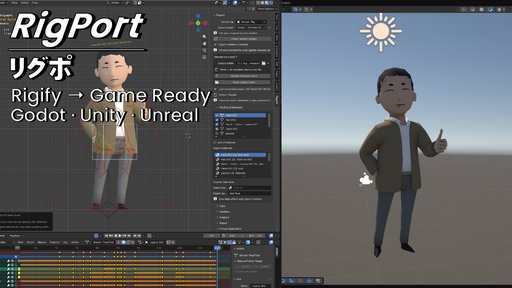
You made the animation. Now bring it into your game.
I've spent years animating in Blender with Rigify. I wanted a way to bring that work into a game engine while keeping the workflow I already knew and spending less time finagling with export settings.
That's the goal behind RigPort: translate your character and animations for Godot, Unity, or Unreal Engine, preserving your work as closely as the supported export workflow allows. Whether you're building a game or quickly prototyping an idea, it helps reduce the technical work between animating and testing.
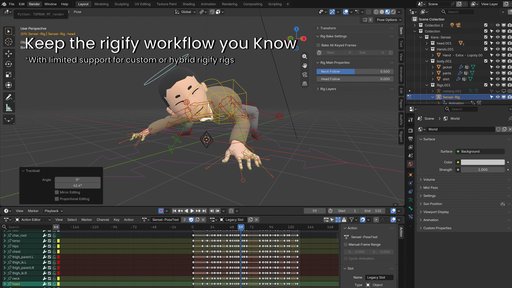
1. Keep the Rigify workflow you knowContinue animating on your original control rig. RigPort prepares a separate export rig, reducing the need to maintain a second skeleton or learn the export pipeline from the ground up.
2. Carry your animation into your gameRigPort is designed to preserve the motion and deformation you made as closely as possible. It also packages multiple Blender Actions with your assets, using your intended clip ranges even for longer timelines.
3. Built around the rigs you work withWe built RigPort around a Rigify workflow, with human characters and customized Rigify rigs in mind. Compatible hybrid Rigify setups with custom deform bones can work too; support does not extend to every partially custom rig.
If you're using a fully custom rig, this tool might not be suited to you currently. In the future, I'd like to support custom rigs so you don't have to redesign a character from the ground up just to try it in a game engine.
Choose a Humanoid profile for Unity or Godot when you need humanoid mapping, or a Generic profile for other skeletons and straightforward animation playback. Unreal currently uses the Generic profile. Humanoid mapping and retargeting still need to be checked in the target engine.
4. Bring the character assets alongPrepare your meshes, supported modifiers, and conventional materials and image textures alongside the animation. Use UVs and compatible image-based Principled BSDF materials. Arbitrary procedural Blender shaders are not automatically baked or translated into engine shaders and may need manual adaptation.
5. Keep iterating with less guessworkEdit your character, add Actions, and update or rebuild the export asset as needed. A guided workflow—from checking asset changes to updating and exporting—helps identify problems and explain what needs attention, reducing repeated preparation as your project grows.
Requirements & compatibility- Blender 4.2 LTS, 4.5 LTS or 5.2 LTS, as listed in the supplied RigPort 1.3.7 guide. Start with an existing rigged, weighted character and its required rig dependencies; RigPort does not automatically rig or skin an unrigged model.
-
- The guide reports installation/export testing on macOS Apple Silicon and Linux x86-64. Native Windows and macOS Intel verification remain pending.
-
- Godot 4.7.1 Generic playback fixtures are documented as tested with the supplied import settings. Unity and Unreal profiles are implemented, but final visual engine acceptance and full humanoid retargeting verification remain pending for this version.
-
- For Godot scale/stretch playback, match animation import FPS to Blender, disable the AnimationPlayer optimizer, and retain generated helper joints and tracks. Baking samples motion, and engine import/retargeting can affect the result.
-
- Preserve Volume skinning, general Geometry Nodes, post-armature smoothing and some shape-key/modifier combinations are outside the documented supported export path. See the supplied guide for details.
RigPort is supplied as a Blender extension. Follow Blendkit's installation controls for the add-on. If you download the installer ZIP directly, keep rigport-1.3.7.zip intact and use Blender's Install from Disk command. Restart Blender after replacing an older installation. Press N in the 3D Viewport and open the Rigport tab. Written installation and compatibility notes are included inside the installer.
Support and licenseFor help, contact [email protected]. Include your RigPort, Blender and engine versions, operating system, export profile, steps and report files. RigPort code is licensed under GPL-3.0-or-later; see the included LICENSE and THIRD_PARTY.md.


