
 Models
 Materials
 HDRIs
HDRIs
 Scenes
 Brushes
 Node Groups
 Printables
 Creators
 Creations
Karelia Asset Release Check
 add-on
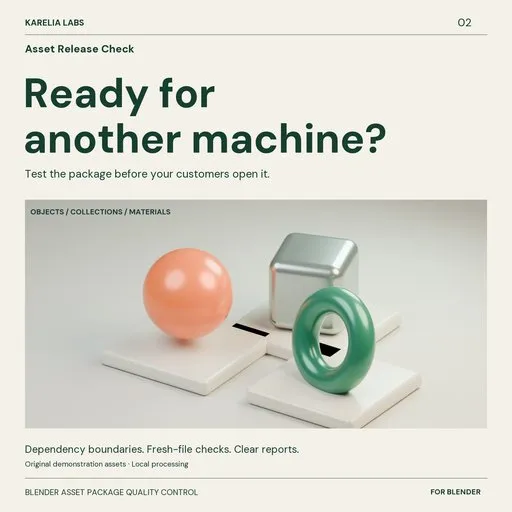
Test Blender asset packages before release. Find missing or out-of-package dependencies, inspect asset metadata, and verify supported assets in fresh Blender processes with readable HTML and JSON reports.
A texture can work on your computer and still be missing from the package your customer receives.
Karelia Asset Release Check stages a separate copy of a saved Blender file or package folder and tests that package boundary. Existing files elsewhere on your computer do not count as included dependencies. Get a readable report before publishing an asset pack, delivering a material library or handing files to a teammate.
Check the package you intend to ship- Choose One .blend for a self-contained file, or Package folder for files delivered together.
- Open each staged Blender file in a fresh factory-startup background process with automatic scripts disabled.
- Find missing or out-of-package resources and unreadable ordinary textures. Audit images, fonts, linked libraries and Blender's other external file references.
- Decode ordinary single-file images, recognize packed textures and identify missing linked data-blocks.
- Record marked asset names, types, descriptions, authors, tags and catalog identifiers.
- Append supported objects, collections and materials into an empty file. Perform a bounded structural check of eligible plain meshes.
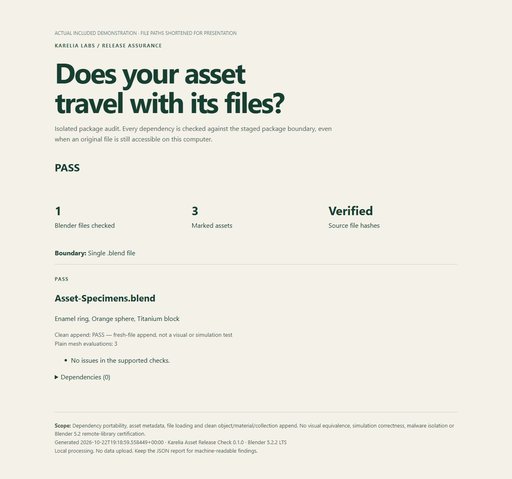
- Verify source-file hashes and export a clear HTML report with detailed JSON evidence.
FAIL identifies a blocker in the supported checks. REVIEW flags features or incomplete checks requiring manual validation. PASS WITH NOTES highlights metadata improvements. PASS means the supported checks completed successfully; it is not a guarantee of visual fidelity or behavior in every customer scene.
Every run creates a separate staged copy and report folder. The extension does not save or repair your source files. Background checks can be cancelled from the sidebar, with completed findings retained.
Start in minutesInstall the extension ZIP through Get Extensions → Install from Disk. Save the files you intend to distribute. Open N → Karelia QA → Asset Release Check, choose the source and a reports folder outside the package, then click Check Release Package. Fix the reported issues in your normal authoring workflow and check again.
Requirements and limitsTested on Windows with Blender 4.5.14 LTS and 5.2.2 LTS. Other operating systems and intermediate releases have not been independently tested. No external Python packages, account or subscription is required.
Package folders are limited to 2 GiB and 10,000 files. Symlinks and junctions inside a package are rejected. A per-file timeout is adjustable. Clean append covers objects, collections and materials; eligible mesh evaluation is limited to plain, unparented, unanimated meshes without modifiers and at most 250,000 vertices.
Animation, rigs, Geometry Nodes, simulations, scripts, external add-ons and complete sequence/UDIM/cache playback require manual testing. Materials are appended, not render-certified. This tool does not certify Blender remote-library server listings or host assets. Fresh processes and dependency checks are not an operating-system security sandbox: use trusted source files.
IncludedThe installable extension, full English quickstart, clear coverage documentation and troubleshooting guidance. Reports and diagnostics stay local and may contain source paths; review them before sharing. Do not distribute a diagnostic run folder as your customer asset package.
One-time purchase. Local processing. No telemetry.
Support: [email protected]. Version 0.1.0, GPL-3.0-or-later. Independent Karelia Labs software.


