
 Models
 Materials
 HDRIs
 Scenes
 Brushes
 Node Groups
 Printables
 Creators
 Creations
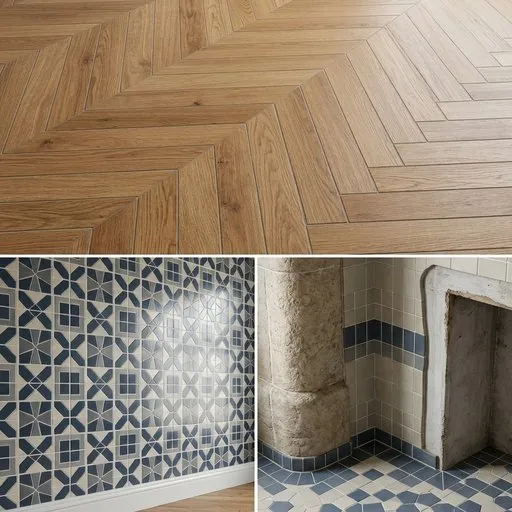
TileCraft – Floor & Wall Tile Generator
 add-on
Give every room a finished look. Create striking floors and tiled walls that fit room shapes and openings, explore rich patterns, apply BlenderKit materials by ID, and set real-world texture size—all with editable, live-updating results.
Create Better Floors and Walls in Minutes
Give every room a finished look with TileCraft, an editable floor and wall tile generator for Blender.
Create classic and decorative patterns, fit tiles to room shapes and openings, then fine-tune grout, bevels, thickness, and UVs. Apply BlenderKit materials by ID, set real-world texture size, and keep your generated surfaces editable with live updates.
From clean plank floors to detailed mosaic walls, TileCraft helps you build the look you want right inside Blender.
Features at a Glance
- Generate editable floors and wall tiles with a range of patterns.
- Fit layouts to room shapes, including concave outlines and openings.
- Customize tile size, spacing, grout, thickness, bevels, and UVs.
- Apply BlenderKit materials by ID and set real-world texture size.
- Use your own texture maps and create a separate mesh copy for export.
- Adjust settings with live updates in Blender.
Requirements: Blender 4.2 or newer. Runtime tested on Blender 5.0.0 for Windows; other versions have not been runtime tested.
To apply BlenderKit materials, install and enable the BlenderKit add-on and sign in if the material requires an account.


