
 Models
 Materials
 HDRIs
HDRIs
 Scenes
 Brushes
 Node Groups
 Printables
 Creators
 Creations
wk_ViewportRecorder
 add-on
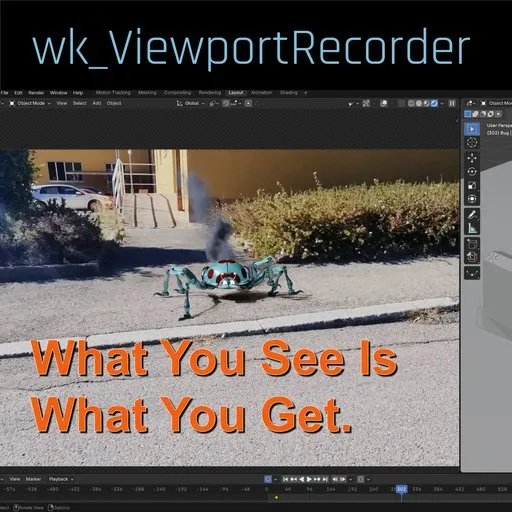
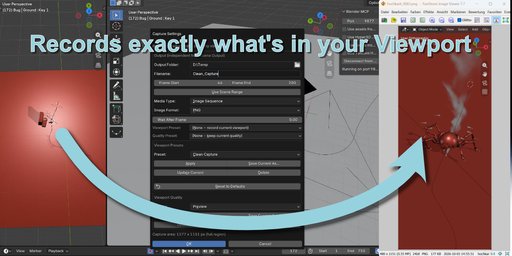
wk_ViewportRecorder records exactly what you see in the viewport – including compositing, viewport effects, custom overlays, and your own quality presets.
Render crashes? Your deadline doesn't.
Blender scene crashes during rendering? But your viewport still looks perfect?
wk_ViewportRecorder records exactly what you see in the viewport – including compositing, viewport effects, custom overlays, and your own quality presets.
Capture image sequences or videos independently from your scene's render settings, wait for Cycles to converge between frames, resume interrupted recordings, and even record any viewport size – not just the camera.
Access wk_ViewportRecorder
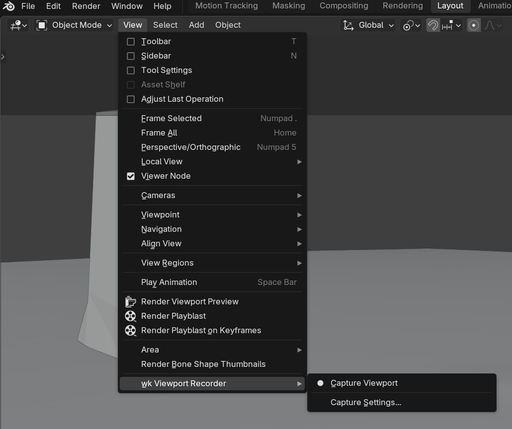
After Install, you access this addon from the Viewport Menu "View - wk Viewport Recorder
Features
- WYSIWYG viewport capture
- Image sequences or video
- Viewport & quality presets
- Independent output settings
- Resume recording at any frame
- Hit ESC to cancel / stop Viewport Recording
What makes it different?
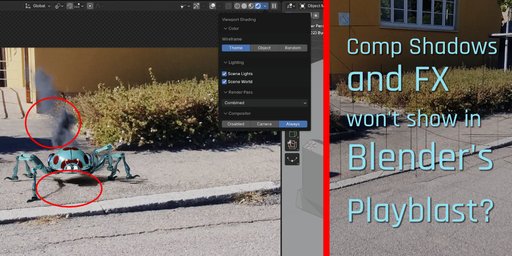
Unlike Blender's traditional Playblast, wk_ViewportRecorder records your actual viewport.
If it's visible on your screen, it can be recorded.
That includes things like:
- Viewport compositing
- Custom viewport shading
- Viewport quality settings
- Cycles viewport convergence
- Custom overlays (or none at all)
- Camera border or any free viewport
- Any viewport aspect ratio
Works especially well with viewport compositing
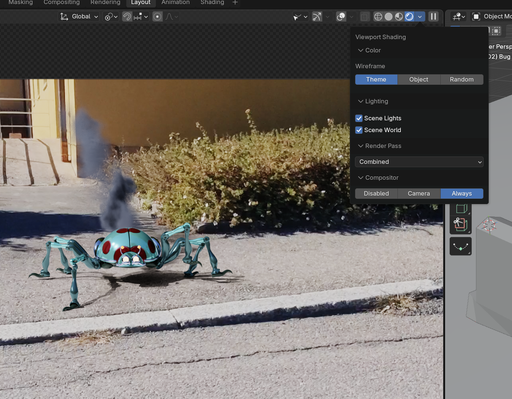
Using Compositor → Always allows Blender's viewport to display compositing while you work.
wk_ViewportRecorder captures this final viewport image, making it possible to create preview animations that are remarkably close to the final render—often even in scenes that would otherwise crash during rendering.
Key Features
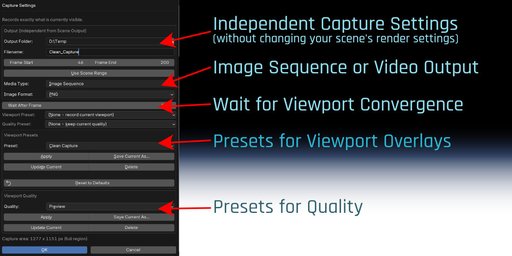
Independent Output Settings
Image sequence or video output without changing your scene's render settings.
Wait for Viewport Convergence
Using Cycles viewport rendering?
Simply tell the recorder how long the viewport should converge before each frame is captured.
Perfect for high-quality viewport rendering.
Viewport Presets
Save carefully adjusted viewport setups and restore them with one click. Ideal for keeping your captures consistent.
Quality Presets
Switch between different viewport quality settings instantly. Create lightweight preview presets or high-quality presentation presets.
Resume Recording
Continue recording from any frame. Ideal for long simulations or interrupted captures.
Camera or Free Viewport
Capture:
Camera view Perspective view Orthographic view Any viewport sizePortrait, landscape, square or custom layouts all work automatically.
Built-in Video Encoding
Output directly as
PNG JPEG OpenEXR TIFF MP4 (H.264)or any supported image sequence format.
Typical Workflow
Adjust your viewport exactly the way you want. (Optional) Save viewport and quality presets. Set the convergence delay if needed. Press Capture. Done.What You See Is What You Get.
If Blender can display it, wk_ViewportRecorder can record it.


