
 Models
 Materials
 HDRIs
 Scenes
 Brushes
 Node Groups
 Printables
 Creators
 Creations
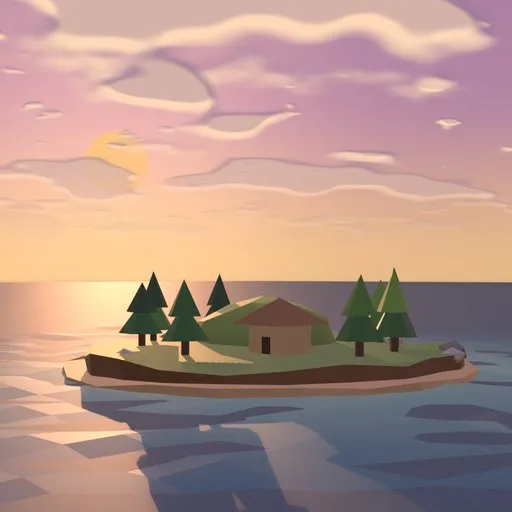
SkyCraft Pro - Stylized Procedural Sky with a Time of Day Slider
 add-on
One slider from sunrise to night. SkyCraft builds a stylized 360 degree sky in your World and moves the sky colors, the clouds and your Sun light together.
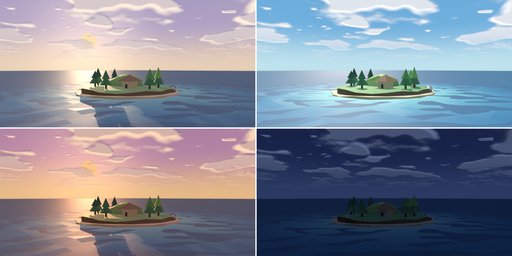
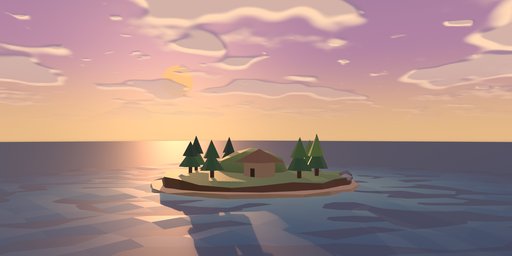
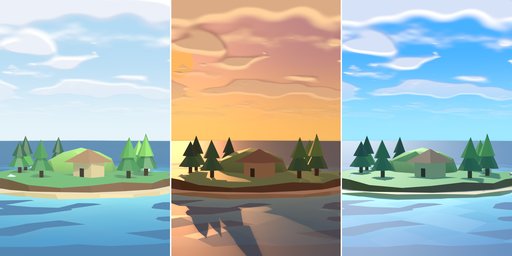
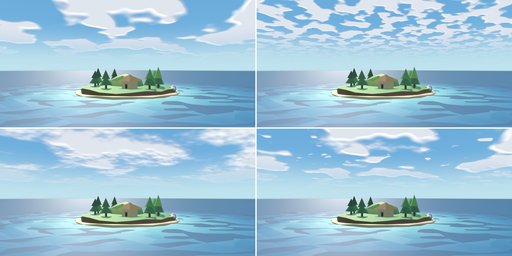
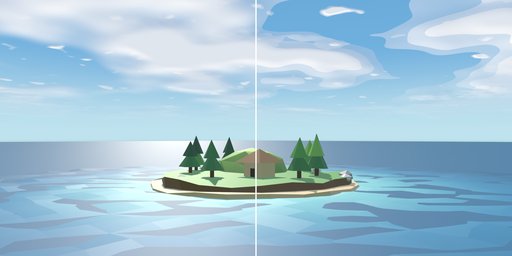
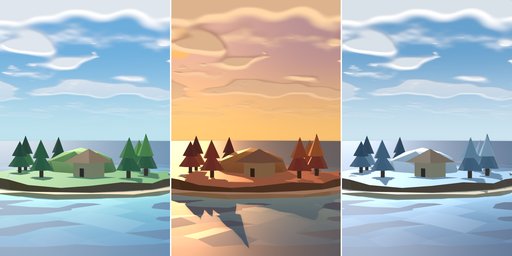
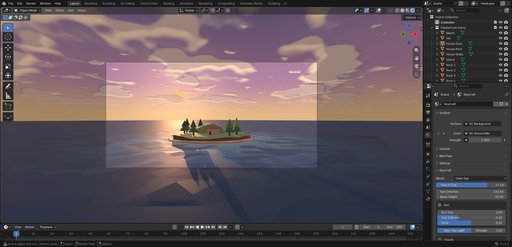
Press Create Sky, pick a mood, drag Time of Day. The sky colors, the sun or moon, the clouds and a matching Sun light all move together. The pictures use the same island and camera; only the slider and the mood change. The sky, clouds and light come from SkyCraft. The island was modeled separately and colored with PaletteCraft.
What it does- 6 moods: Clear Day, Pastel Dream, Golden Hour, Stormy, Nordic Cold and Toon Bright. Each has its own dawn, day, sunset and night colors, and the slider blends between them.
- Sun and moon with size, softness and glow. Sync Sun Light keeps a Sun light pointed and colored to match, with moonlight at night.
- 3 cloud layers: Cumulus, Altocumulus and Cirrus, each with Coverage, Scale, Softness and Speed. Cel Steps turns them into flat cartoon bands.
- Clouds drift over the timeline at different speeds per layer.
- Stars fade in at night.
- Bake Sky saves an equirectangular PNG or EXR (Cycles) for game engines or as an HDRI. Your render settings and camera are restored afterwards.
- SkyCraft writes plain World nodes into a new World called SkyCraft. Your own World is kept, so you can switch back at any time.
- The .blend renders the same on a computer without the add-on installed.
- Settings live in the 3D Viewport sidebar (N) under the SkyCraft tab and in the World properties.
- Blender 4.2.23 LTS and 5.2.2 LTS: 23 headless checks each, measured on real renders (zenith, horizon and ground colors, sun position when you turn it, night darker than noon, warm sunset horizon, no clouds at Coverage 0, drift between frames, Sun light direction, bake, reopen without the add-on).
- Installed into a clean Blender profile in both versions and created a sky right away.
- Make stylized, low-poly or cartoon scenes and want a sky that matches without painting an HDRI.
- Want quick lighting variations of one scene: dawn, noon, sunset and night are one slider apart.
- Need a physically accurate sky or volumetric clouds. SkyCraft clouds are painted on the sky dome and do not cast shadows on the scene.
- Open the sidebar in the 3D Viewport (N), click the SkyCraft tab and press Create Sky.
- Pick a Mood.
- Drag Time of Day. Turn on Sync Sun Light if you want a Sun light that follows the sky.
- Change cloud Coverage or Cel Steps, then Bake Sky if you need an image.
Made with AI assistance. The add-on code was written with Claude (Anthropic). Feature design, test cases, render checks and fixes were done by a person.
Code license: GPL-3.0-or-later.
Bug reports: message Aisol Studio through Blendkit. Fixes for confirmed bugs in supported Blender versions for 12 months from purchase.


