
 Models
 Materials
 HDRIs
 Scenes
 Brushes
 Node Groups
 Printables
 Creators
 Creations
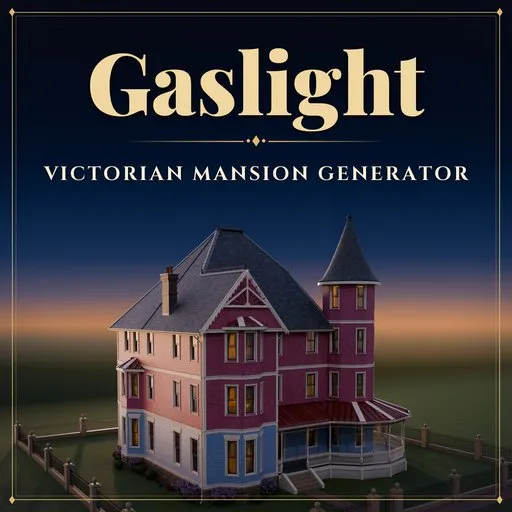
Gaslight – Victorian Mansion Generator for Blender
 add-on
Complete Victorian mansions in one click: turrets, wraparound porches, gingerbread trim and fully furnished rooms, 9 styles, photoreal PBR materials and four conditions from new to abandoned.
Explore all my Blender addons
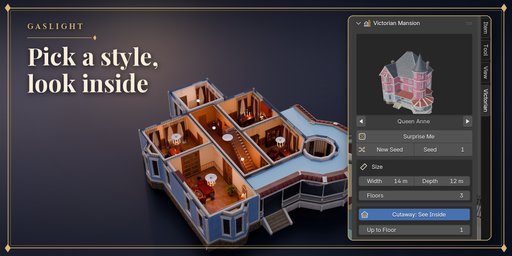
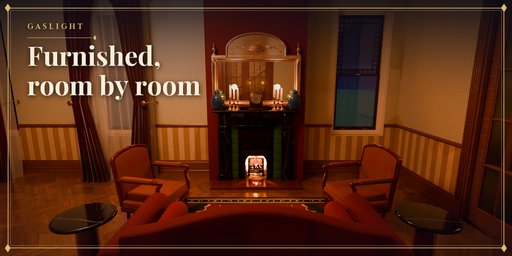
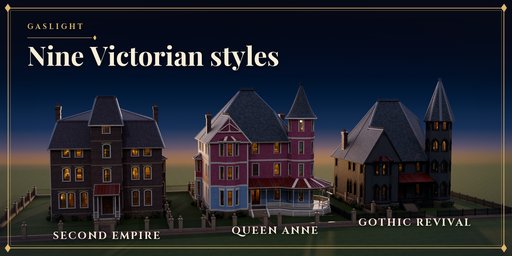
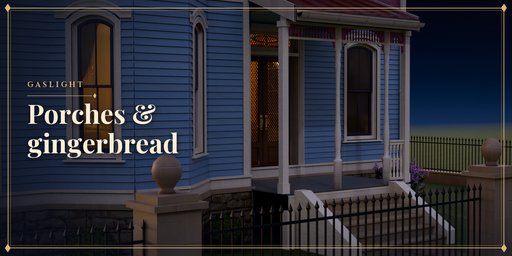
Gaslight builds a complete Victorian mansion in Blender with one click, outside and inside. Turrets with witch's hat roofs, wraparound porches with turned posts and spindle friezes, bay windows, fish scale shingles, iron cresting and gingerbread trim on the outside; a grand hall with a staircase, a parlor, a dining room, a library, bedrooms and a bathroom on the inside, each with wallpaper, wainscoting, mouldings, lamps and period furniture.
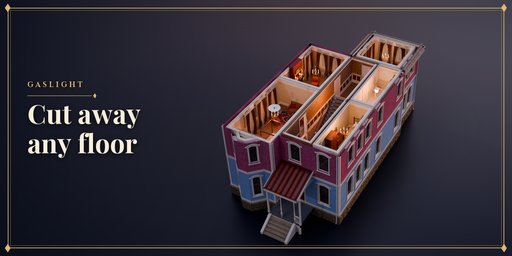
Pick one of nine styles and change anything from the sidebar: size, floors, tower, roof, porch, windows, front door, wall cladding, colours and condition. The mansion rebuilds live as you drag, and every choice is a picture, so you see what you get before you click. Surprise Me makes a new mansion in a second. Turn on Cutaway and the roof and the floors above lift away like a doll's house, so you can look down into any floor's furnished, lamp-lit rooms.
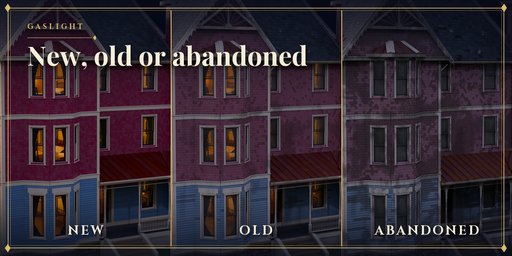
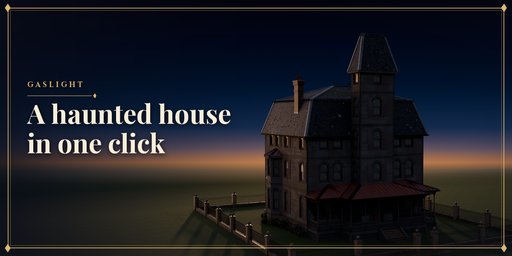
Every surface uses real PBR materials made from scanned textures: painted clapboard with per-board variation, slate and fish scale roofs, rock-faced stone foundations, brick, oak floors, damask wallpaper, carpets and brass. Four conditions take the house from freshly painted to lived in, old and abandoned, with dirt streaks, peeling paint, moss, rust and missing slates. The Haunted style is ready for Halloween scenes.
A front yard with a lawn, a flagstone, brick or gravel walk, flower beds and a wrought iron or picket fence finishes the scene.
Features
- 9 styles: Queen Anne, Painted Lady, Italianate, Second Empire, Gothic Revival, Stick, Shingle, Romanesque and Haunted
- Round, octagonal or square towers with cone, bell, dome, onion, spire, pyramid or mansard roofs
- 5 roof styles with slate, fish scale, cedar shingle, standing seam or asphalt coverings, chimneys and iron cresting
- Entry, full front or wraparound porches with turned posts, brackets and spindle friezes
- 8 window designs and 5 front doors, with real glass, sashes, shutters and pediments
- 7 wall claddings, rock-faced stone or brick foundations and gingerbread trim
- Cutaway: see inside any floor with one toggle, no rebuild
- Furnished interior: hall and staircase, parlor, dining room, library, study, music room, kitchen, bedrooms, nursery and bathroom
- 8 exterior palettes, 4 interior colour sets and custom colours
- 4 conditions from new to abandoned
- Front yard with lawn, walk, flower beds and wrought iron or picket fence
- Lamps light the rooms at night
- Picture-driven sidebar, Shift+A menu, Surprise Me, New Seed and Convert to Plain Meshes
- Works in Cycles and EEVEE
Requires Blender 4.2 or newer. Tested on Blender 4.2, 4.5 and 5.2 LTS.
How to use
Installation
In Blender open Edit, Preferences, Get Extensions, then use Install from Disk and pick the victorian_mansion_generator zip.
Usage
- Open the Victorian tab in the 3D viewport sidebar (N). With nothing selected, click the picture to choose one of the nine styles and press Add Mansion, or use Shift+A, Mesh, Victorian Mansion. Surprise Me adds a random mansion.
- With the mansion selected, the first page holds the main choices: style, size and floors, colours and condition, tower, roof, porch and windows. Click a picture to open its gallery, or step through the options with the arrows.
- The sub-panels below hold every other setting: Massing, Roof, Walls, Windows & Doors, Porch, Gingerbread, Interior, Grounds and Custom Colours.
- Shape changes rebuild the outside at once; the rooms, furniture and yard follow a moment later.
- Mansion tools: Rebuild, Convert to Plain Meshes (for editing or export) and Delete Mansion.
Detail Low builds fastest while you design; switch to High for the final render.
FAQ
Which Blender versions are supported?
Blender 4.2 and newer. It is tested on Blender 4.2, 4.5 and 5.2 LTS.
Is the interior really modeled?
Yes. Every room has walls, floors, ceilings, doors, a staircase, wallpaper, mouldings, lamps and furniture, so you can put the camera inside and render.
Can I edit the result as a normal mesh?
Yes. Convert to Plain Meshes in the Mansion tools panel keeps the meshes as ordinary objects, ready to edit or export.
Are the materials usable in game engines?
The materials are PBR (base colour, roughness, normal) built from scanned textures, and the meshes have real UVs, so they export to game engines.
Can I make a haunted house?
Yes. Pick the Haunted style or set the condition to Abandoned on any style for peeling paint, dirt, moss and missing slates.


