
 Models
 Materials
 HDRIs
HDRIs
 Scenes
 Brushes
 Node Groups
 Printables
 Creators
 Creations
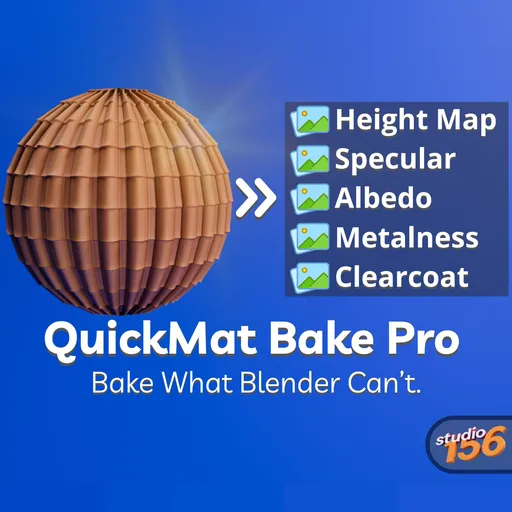
QuickMat Bake Pro – Ultimate Texture Baking Tool
 add-on
Bake procedural materials into image textures in one click
QuickMat Bake Pro is an advanced Blender addon designed to make texture baking fast, organized, and effortless. Whether you're preparing assets for games, real-time rendering, asset stores, or production pipelines, QuickMat Bake Pro automates repetitive work while giving you complete control over every bake.
It supports more than 20 bake types, advanced workflows that Blender doesn't provide out of the box, batch processing, and multi-material texture generation—all from one simple interface.
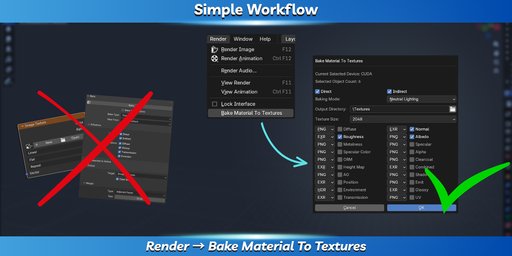
Just open Render → Bake Material To Textures, choose the maps you want, set the resolution and output format, then let the addon handle the rest. No complicated node setup or manual file organization.
Everything You Need for Texture Baking
QuickMat Bake Pro supports both Blender's standard bake passes and many additional texture types.
Standard Maps
* Diffuse
* Normal
* Roughness
* Metallic
* Specular
* Emission
Extended Maps
* Albedo
* Ambient Occlusion
* ORM
* Height (Displacement)
* Position
* Shadow
* Alpha
* Transmission
* Clearcoat
* UV Layout
* and many more.
Choose an individual image format for every bake type, including:
* PNG
* EXR
* HDR
* TIFF
* TGA
Use presets such as 512, 1024, 2048, 4096, or enter any custom resolution.
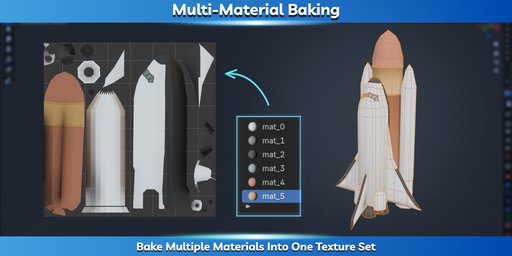
Unlike Blender's standard workflow, QuickMat Bake Pro can bake multiple materials into a single texture set. This makes preparing assets for game engines significantly easier by reducing material count while preserving the original appearance.
The addon can also generate UV Layout textures, making it useful for texturing, painting workflows, and documentation.
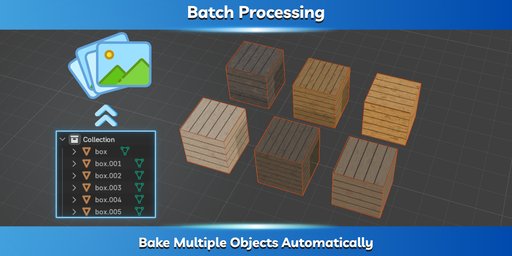
Stop baking one object at a time.
Select multiple objects and QuickMat Bake Pro automatically processes them one after another, creating organized folders for every material and saving every texture using your chosen naming convention, format, and resolution.
Perfect for large environments, asset packs, and production pipelines.
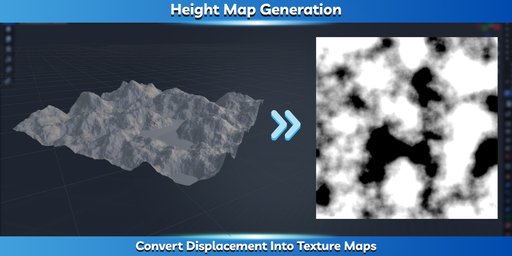
Generate accurate height maps directly from the material's Displacement output.
This makes it easy to convert procedural displacement into reusable textures for game engines, sculpting workflows, or material libraries.
The addon also warns you whenever required node connections are missing before starting the bake.
Neutral Mode & Scene Mode
Choose the workflow that fits your project.
Neutral Mode
Creates clean, lighting-independent textures by ignoring the current scene setup. Perfect for reusable assets and texture libraries.
Current Scene Mode
Uses the lighting, materials, and render settings from your scene to bake the exact visual appearance of your project.
Designed for Production
QuickMat Bake Pro automatically:
- Detects materials
- Creates output folders
- Organizes baked textures
- Saves each bake using the selected format
- Supports custom resolutions
- Reduces repetitive manual work
Whether you're exporting assets to Unity, Unreal Engine, Godot, or another engine, QuickMat Bake Pro helps you prepare textures quickly and consistently.
Installation
- Download the addon ZIP file.
- Open Edit → Preferences → Add-ons.
- Click Install.
- Select the downloaded ZIP file.
- Enable QuickMat Bake Pro.
Quick Start
- Select one or more objects.
- Open Render → Bake Material To Textures.
- Choose the bake passes.
- Select output formats.
- Set the resolution.
- Choose the output folder.
- Click OK.
The addon automatically bakes every selected texture, organizes the output, and saves everything in the desired format.
QuickMat Bake Pro is built to simplify texture baking—from single materials to large production scenes—allowing you to spend less time managing files and more time creating.


