
 Models
 Materials
 HDRIs
 Scenes
 Brushes
 Node Groups
 Printables
 Creators
 Creations
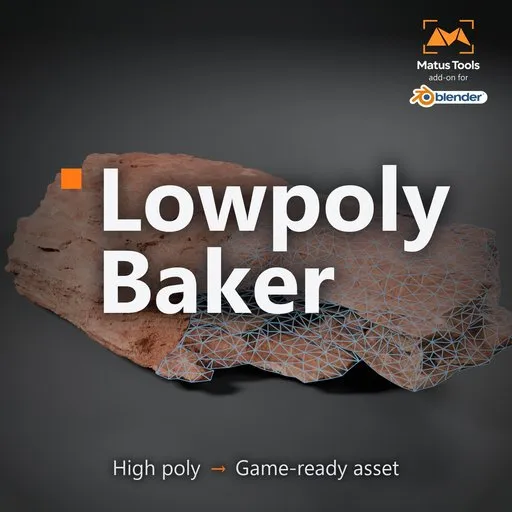
Lowpoly Baker
 add-on
From any high poly model to a game-ready low poly with baked textures in two clicks, exported for Unreal Engine, Unity or Godot.
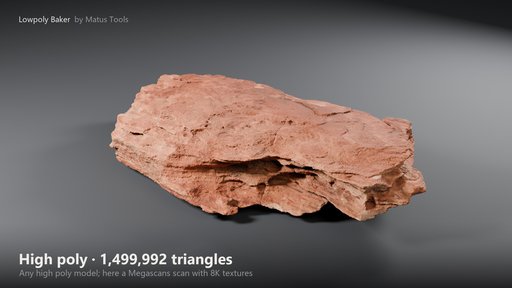
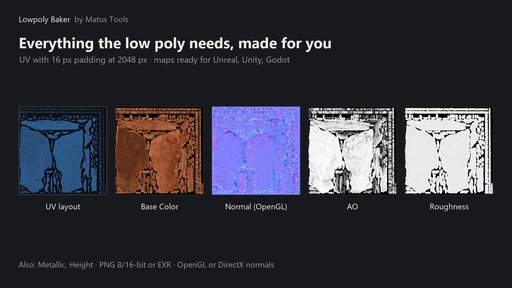
Lowpoly Baker turns a detailed model into a game-ready low poly with baked textures. Pick your high poly, set a triangle budget, press two buttons. You get a reduced mesh with UVs, normals and a correct pivot, plus Base Color, Normal, AO and Roughness maps on a ready material. A third button exports it as FBX, glTF or OBJ for Unreal Engine, Unity or Godot.
It is made for scans, sculpts and any dense mesh that has to go into a game engine.
Two clicks
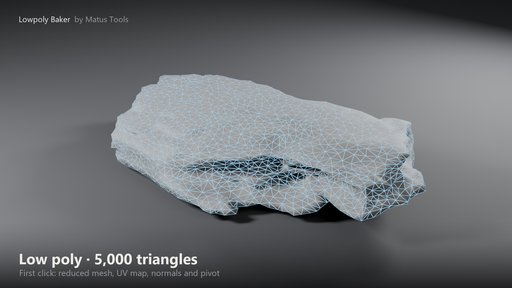
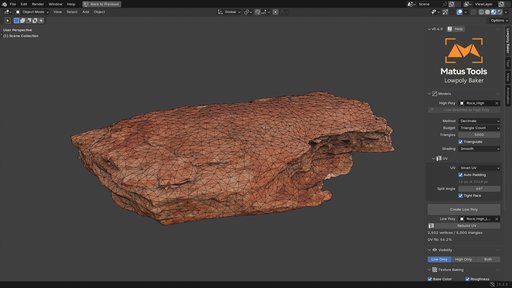
- Create Low Poly. Reduces the mesh to your triangle count, unwraps it, sets normals and keeps the pivot of the original.
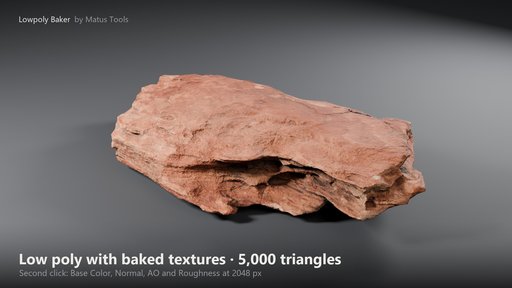
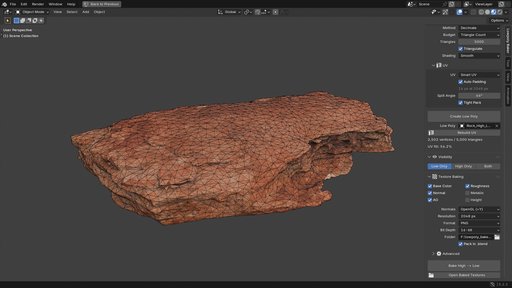
- Bake High → Low. Bakes up to six maps and builds a material with them on the low poly.
No cage tweaking
The add-on measures how far the two models are apart and sets the bake ray distances itself. It works at any object size. Wrong ray distances are the most common cause of holes and smears in bakes; here you don't have to set them.
UV that is safe for games
- Islands always keep a gap from each other and from the texture border.
- The gap follows the texture size (8 px at 1024, 16 at 2048, 32 at 4096), so mipmaps don't bleed.
- Hard edges become UV seams automatically, so the normal map has no lines on them.
Your scene stays untouched
- The high poly is only read, never changed.
- Baking runs in a temporary scene; your render settings stay as they are.
- Every bake goes into a new dated folder, so older bakes are never overwritten. A bake report with all settings is saved next to the textures.
- Blender stays usable while it bakes. Progress shows on the button and in the status bar; Esc cancels at once and removes everything half-made.
Ready for game engines
- Normal maps in OpenGL (Blender, Unity, Godot) or DirectX (Unreal Engine). For DirectX the Blender material flips the green channel back, so the model looks right in Blender too.
- Base Color, Roughness and Metallic are read from any material through its Principled BSDF, including procedural materials.
- The source can be a mesh with modifiers, a curve, text or a metaball.
- PNG 8 or 16 bit for engines, EXR 32-bit for further work.
Export for your engine
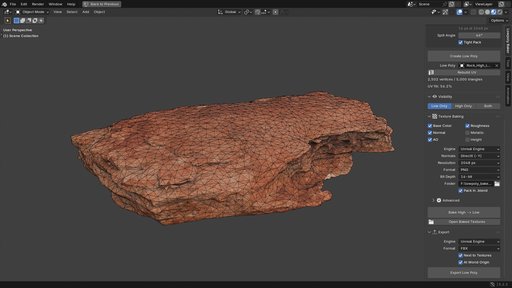
- Engine sets units and axes: Unreal Engine (metres become centimetres), Unity (scale 1, Y up), Godot, or Other.
- Format: FBX, glTF Binary (.glb, textures inside), glTF Separate (.gltf) or OBJ.
- Triangles, smoothing groups and tangents for the normal map; the model's pivot becomes the asset origin.
- Textures are named the way your engine expects, with the resolution in the name: T_Rock_2K_BC, T_Rock_2K_N and SM_Rock.fbx for Unreal Engine, Unity and Godot in their own conventions.
- Every export also renders a 1024 px asset preview with a transparent background into the same folder.
- The add-on warns if the normal map format does not match the engine.
Maps
Base Color · Normal · AO · Roughness · Metallic · Height. Resolution 256 to 4096 px.
Installation
- Download the zip. Do not unzip it.
- Drag the zip into the Blender window and confirm, or Edit > Preferences > Get Extensions > arrow menu (top right) > Install from Disk…
- In the 3D View press N and open the "Lowpoly Baker" tab.
Requirements and limits
- Blender 4.2 or newer (tested in 4.4, 4.5 and 5.2). Tested on Windows.
- No external downloads, no registration, no extra licences needed.
- One high poly and one low poly at a time.
- AO, Roughness and Metallic are saved as separate textures; a packed ORM texture is planned for the next version.
- No custom cage mesh and no LOD generation yet.
- Smart UV fills about half of the texture on irregular shapes such as rocks. For a tighter layout make your own UV and use Keep UV.
- Geometry Nodes instances must be realized in the source to be baked.
Coming next
Version 0.5.0: ORM texture packing (ORM, Unity Mask Map or separate files) and LOD generation.
Support
Questions and bug reports: in the comments under this add-on. Documentation: https://github.com/Roman-Matus/matus-tools/tree/main/lowpoly-baker
License
The code is GPL-3.0-or-later. The cover image, help text, names and logo are © Matus Tools.
Rock scan in the images: Megascans "Rock Sandstone" (Fab).


