
 Models
 Materials
 HDRIs
HDRIs
 Scenes
 Brushes
 Node Groups
 Printables
 Creators
 Creations
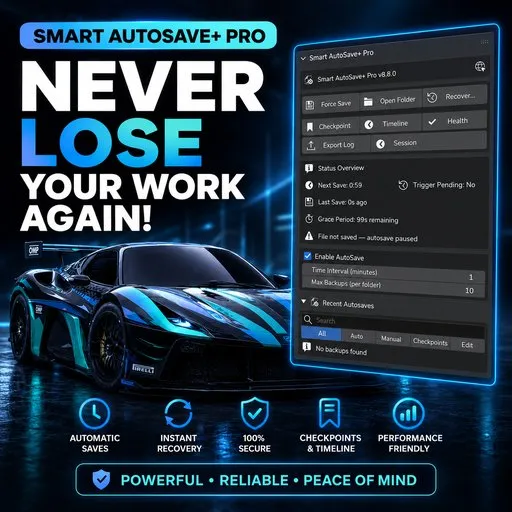
Smart AutoSave+ (PRO/STUDIO Tier) - NovaStrikes
 add-on
Smart autosave with checkpoints, timeline search, cloud backups, and session restore
🛡️ Smart AutoSave+ Pro — The Ultimate Crash-Proof Workflow & Backup Engine for Blender
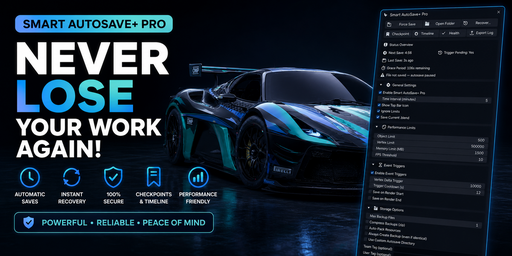
Never lose a single vertex, brush stroke, or render setup ever again.
Designed for professional 3D artists, studios, game developers, and animators who cannot afford lost hours to sudden crashes, power outages, or accidental overwrites.
⚡ Why Default Blender AutoSave Isn't Enough
Blender’s native autosave writes blindly to a temporary cache folder on rigid timers — often saving during idle moments, failing during heavy modifier calculations, or overwriting files unpredictably with no visual history or recovery timeline.
Smart AutoSave+ Pro completely reinvents backup management into an enterprise-grade safety shield. It actively listens to your scene changes, creates intelligent non-blocking snapshots, organizes named milestone checkpoints, and continuously backs up your project locally and to the cloud without interrupting your creative flow.
PRO Features Breakdown
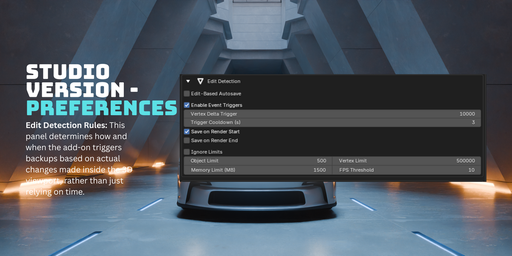
🧠 1. Intelligent Edit-Based Triggering (Depsgraph Aware)
Zero Redundant Saves: Uses change-detection hashing so backups only occur when you actually make modifications — saving disk space and eliminating duplicate copies.
Idle-Aware Execution: Intelligently saves when you pause or finish a stroke, ensuring zero viewport lag or stutter during intense sculpting, rigging, or simulation.
🏷️ 2. Milestone Checkpoints & Named Snapshots
Custom Milestone Pins: Press one shortcut or button to freeze a permanent milestone (e.g., "Pre-Remesh", "Before Boolean Operation", "Lighting V2").
Protected Forever: Unlike rolling autosaves, Checkpoints are never automatically purged or overwritten by routine saves.
🔍 3. Interactive Visual Timeline with Instant Search
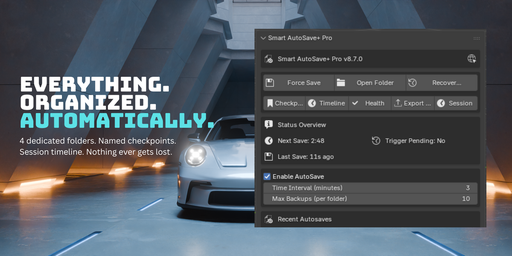
Searchable Backup Hub: Instantly filter your entire project history by date, time, checkpoint name, or save type directly in the 3D Viewport N-Panel.
Live Time Indicators: Clear human-readable timestamps ("3 mins ago", "Yesterday at 4:15 PM").
☁️ 4. Seamless Background Cloud Sync (Google Drive & Dropbox)
Offsite Disaster Recovery: Connect your Google Drive or Dropbox with one click.
Silent Background Threading: Backups upload silently in a background thread while you keep working, keeping your files safe even in hardware drive failures.
🔒 5. Multi-Instance Session-Lock Shield
No File Overwrite Collisions: Working across 2 or 3 Blender instances at once? Smart AutoSave+ Pro assigns unique session tokens so parallel Blender windows never clobber each other’s backup caches.
🩺 6. Backup Health Diagnostics & Disk Quota Manager
Integrity Validation: Validates .blend header integrity before marking a backup healthy.
Automatic Smart Retention: Set maximum backup limits or storage caps (e.g., keep last 20 saves or max 2 GB) with auto-cleanup of old temporary iterations.
🚀 7. "Open in New Blender" & Non-Destructive Restore
Compare Without Losing State: Need to inspect a state from 2 hours ago? Launch it directly into a separate, isolated Blender window without closing or disturbing your active workspace.
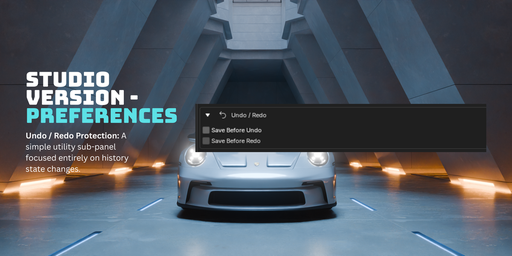
One-Click Quick Rollback: Roll back to any previous state in seconds with automatic pre-restore backup protection.
📊 8. Session Analytics & Exportable HTML Logs
Time & Activity Tracking: See exact statistics on time spent, saves executed, and storage efficiency.
Exportable HTML Reports: Generate clean, formatted session summaries for production billing, studio handoffs, or client auditing.
⭐ Trusted by 3D Artists & Studios Worldwide
"Over hundreds of production hours saved across independent creators, studio artists, and media engineering pipelines."
💬 What Verified Users Are Saying:
🌟 "Simply my lifesaver in media production!"
“I work in the media industry, and I frequently iterate project engineering at work. This plugin is simply my lifesaver!!”
— Zander (Verified Buyer • Media & Production Engineer)
🌟 "Upgraded to PRO — I feel so much safer with my projects now!"
“I initially bought the Basic Edition but quickly upgraded to the Studio version for the extra features. The add-on is easy to set up, and the N-Panel offers tons of save config options. I definitely feel much safer with my projects now! The developer was super friendly and responded quickly to questions I had. I would definitely recommend this add-on.”
— SebL (Verified Studio Edition Customer)
🌟 "Saves lives — no more remaking lost projects!"
“This saves lives! Now I don't have to remake projects when I mess up. Thank you for your hard work!”
— Vanessa (Verified 3D Artist)*
💡 Looking for the Starter Edition?
Get essential autosave protection with the Basic Version:
https://www.blendkit.com/asset-gallery-detail/c45fc3db-f2a8-4375-a767-48bffaf432d6/
Preamble
This program is free software: you can redistribute it and/or modify it under the terms of the GNU General Public License as published by the Free Software Foundation, either version 3 of the License, or (at your option) any later version.
This program is distributed in the hope that it will be useful,
but WITHOUT ANY WARRANTY — without even the implied warranty of
MERCHANTABILITY or FITNESS FOR A PARTICULAR PURPOSE.
See the GNU General Public License for more details.
📌 Attribution is appreciated but never required.
💡 Created with ❤️ by NovaStrikes


