
 Add-ons
 Models
 Materials
 HDRIs
 Scenes
 Brushes
 Node Groups
 Printables
 Creators
 Creations
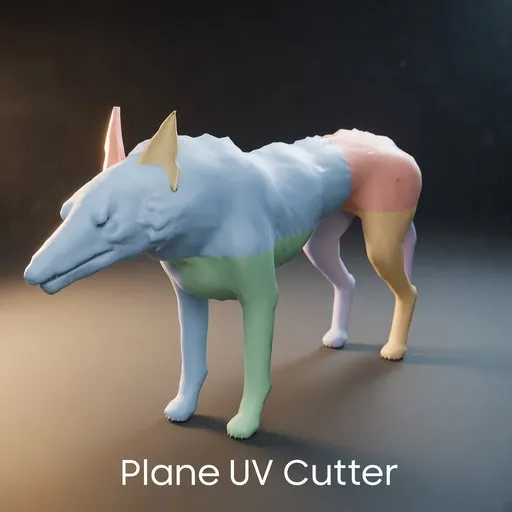
Plane UV Cutter
Blender 5.2 add-on
Put planes through a model. Where each plane meets the surface, the add-on cuts a new edge and marks it as a UV seam.
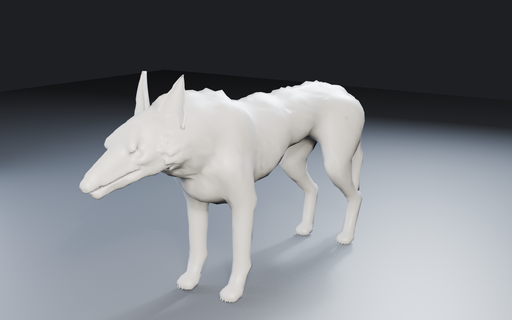
Before and afterBefore. One mesh, with no seams from the add-on.
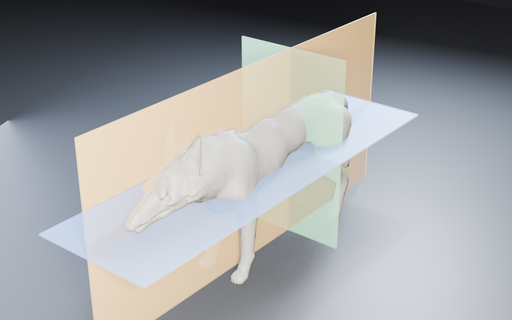
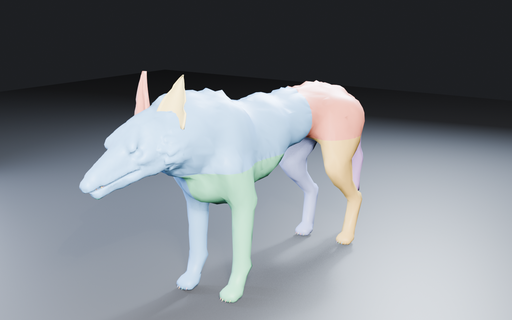
After. Three planes cut the mesh. Each UV island is a different color.
The cut is the island boundary. Color changes where the plane met the mesh, not along a hand-picked jagged edge.
Place the planesScale a plane to set how far the cut runs. It only cuts where the plane overlaps the mesh. Each colored sheet is its own cutter.
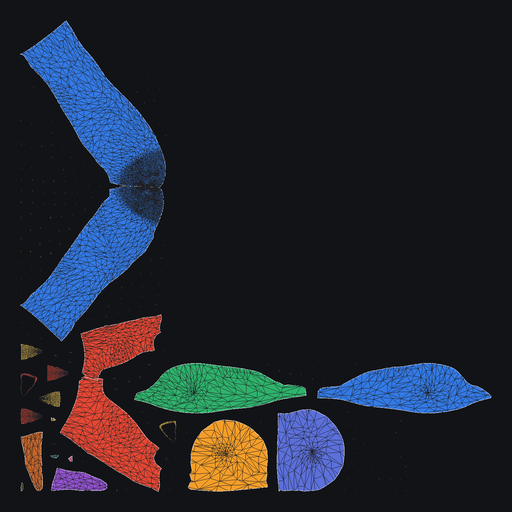
The UV mapUnwrap after the cut. Island colors match the model. Light edges are the new seams. These shots were unwrapped with Cut Through Crossings on, so each plane ran its full length.
How to use it- In Blender 5.2, open Edit, Preferences, Get Extensions. Install from disk and pick plane_uv_seams-1.6.0.zip.
- Select the model. In the 3D Viewport sidebar, open UV Planes.
- Add a cutter with View, X, Y, or Z. Move and scale it in the viewport. The seam only appears where the plane overlaps the mesh.
- For a curved seam, set Cuts and press Subdivide, then shape the plane in Edit Mode.
- Show Planes draws the cutters solid. Turn it off to hide them and see the mesh. Cutting still uses hidden planes.
- Press Cut UV Seams. The new edges are marked as seams and selected.
- Turn on Unwrap After Cut if you want the unwrap in the same step. Otherwise select the mesh and use UV, Unwrap. Angle Based follows the seams.
Off, the default. Where two cuts meet, the shorter side is dropped, so a plus becomes an L. On, every side runs the full length of its plane. The shots above were made with this on.
Stop At SeamsOn by default. A new cut ends at a seam already on the mesh, and the shorter side of the new cut is dropped. The old seam stays. Turn it off to cut straight through existing seams.
Clear Existing SeamsRemoves the current seam marks before the new ones are added. If Stop At Seams is on, those old positions still stop the new cut.
Unwrap After CutOff by default. After a successful cut, unwraps with the Conformal method and a small margin. Leave it off if you want to unwrap yourself.
Plane UV Seams 1.6.0 for Blender 5.2. The add-on is GPL-3.0-or-later. The install file is plane_uv_seams-1.6.0.zip.


