
 Models
 Materials
 HDRIs
 Scenes
 Brushes
 Node Groups
 Printables
 Creators
 Creations

Road Tire Wear
 add-on
Add directional tire wear, puddles, dust, road markings and PBR decals in Blender. Supports meshes and collections, local wear painting, placement previews and adjustable materials.
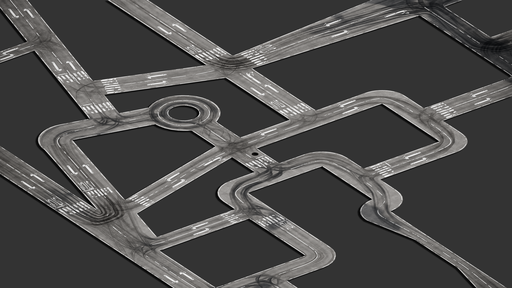
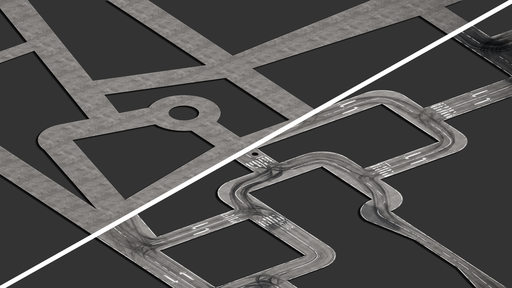
Give your roads a lived-in look
Road Tire Wear adds directional tire wear, water puddles, dust and road markings to your Blender roads. Work with individual meshes or collections, preserve your base material, and refine the result with local painting and live material controls.
Build detail in layers
- Main Tracks, Soft Wear and Fine Streaks: combine distinct wear patterns that follow generated vehicle paths.
- Water Puddles: add wet areas influenced by tire paths.
- Dust: introduce surface buildup and adjust its appearance.
- Base Texture: reduce visible texture repetition with randomized mapping.
Make it your own
Paint custom wear paths directly on the road. Adjust each wear layer’s visibility, darkness, polish or roughness, and desaturation. Material appearance changes update live; pattern changes use a separate wear update.
Add markings and decals
Create edge lines and lane dividers, place road symbols, and import your own PBR decal texture sets. Browse decal folders with thumbnail previews, click to begin placement, and use blend modes to integrate decals with the road surface.
Keep your workflow flexible
Change the base material without rebuilding the generated wear. Wear, lines, symbols and decals can be managed independently. Generated masks are stored beside your saved Blender file, with packed copies retained inside the scene.
Getting started
- Select a road mesh or collection.
- Click Generate Wear.
- Refine the layers, paint local wear, and add markings or decals.
Requirements: Windows · Blender 4.5 or newer · Cycles or EEVEE


