
 Models
 Materials
 HDRIs
HDRIs
 Scenes
 Brushes
 Node Groups
 Printables
 Creators
 Creations
Blender SkillUp – Interactive Blender Learning Add-On
 add-on
Blender SkillUp transforms Blender into an interactive learning environment. Build a complete hero camera from start to finish while learning modeling, UV mapping, materials, texture painting, shader nodes, lighting, and rendering.
Learn Blender Without Constantly Switching Between Tutorial and Blender
Learning Blender often means watching a tutorial, pausing it, switching back to Blender, trying to reproduce the step, and hoping you got everything right.
Blender SkillUp brings the learning experience directly into Blender.
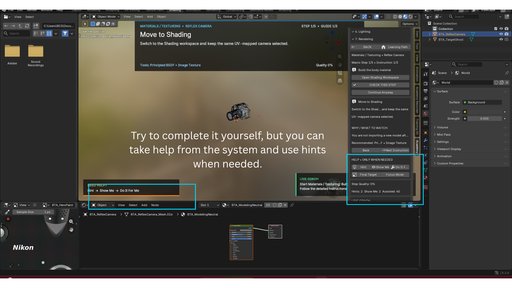
Instructions, references, progress tracking, and step checking are available directly from the 3D Viewport sidebar. Instead of simply following along with a video, you actually perform the work and receive feedback based on your scene.
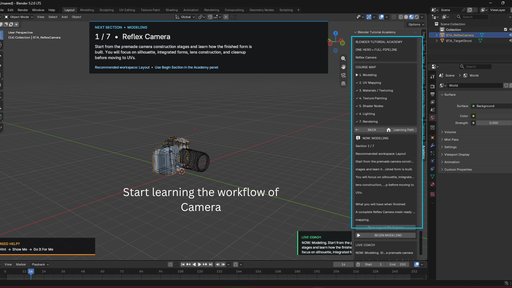
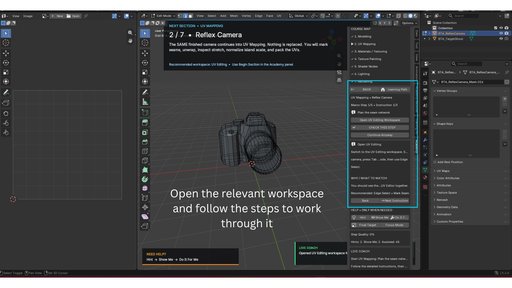
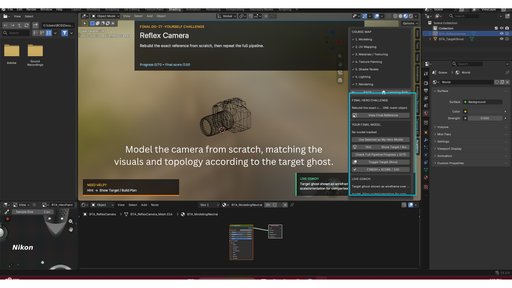
One Project. The Complete Blender Workflow.
Rather than jumping between unrelated exercises, Blender SkillUp guides you through one continuous project: a hero Reflex Camera.
You'll take the same asset through seven connected stages of the production workflow:
Modeling — Build the camera body, refine the grip and top housing, integrate the lens mount, create the barrel, and improve the topology.
UV Mapping — Create seams, unwrap the model, check stretching, maintain consistent texel density, and pack UV islands.
Materials & Texturing — Create separate body and lens materials, connect image textures, and assign them correctly.
Texture Painting — Add hand-painted variation and realistic edge wear directly to the texture.
Shader Nodes — Enhance your painted texture with procedural noise and bump information.
Lighting — Create a product-style key, fill, and rim lighting setup.
Rendering — Configure the render engine, output settings, color management, and produce the final image.
Because every stage builds on the same project, you can clearly see how each part of the workflow connects to the next.
More Than a Checklist — Your Work Gets Checked
Blender SkillUp doesn't simply ask you to complete a step and click Next.
When you press Check Step, the add-on analyzes your actual Blender scene and evaluates the relevant work for that stage. Depending on the lesson, it can inspect mesh shape and topology, UV coordinates, materials, image nodes, painted texture changes, procedural nodes, lighting, and render settings.
You receive a quality score and feedback so you can understand whether your work is ready for the next stage.
Get Help When You Need It
Every lesson includes three levels of assistance:
Hint — Get a quick clue when you're stuck.
Show Me — View the target reference image and review the complete instruction.
Do It For Me — Let Blender SkillUp complete the current step so you can see the technique and continue learning.
You remain in control of how much help you receive.
A persistent course map also shows your completed, unlocked, and upcoming sections. The Back navigation lets you move through previous instructions, steps, and sections without losing your progress.
Test Yourself With the Final Challenge
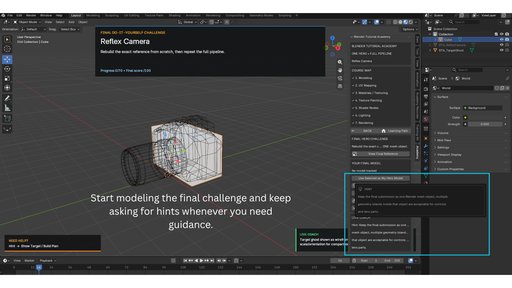
After completing all seven guided sections, you'll unlock the Final Challenge.
This time, Do It For Me is disabled.
You'll rebuild the same Reflex Camera from scratch using the complete workflow you've learned:
Modeling → UVs → Materials → Texture Painting → Shader Nodes → Lighting → Rendering
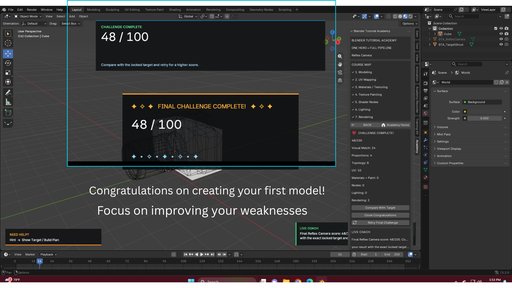
Once finished, Blender SkillUp evaluates your result and provides a score out of 100 across areas including visual match, proportions, topology, UV quality, materials and paint, node setup, lighting, and rendering.
You can also enable the Target Ghost wireframe to compare your model directly with the target and identify areas that need improvement.
It's designed to test your practical Blender skills rather than simply track whether you completed a lesson.


