
 Models
 Materials
 HDRIs
HDRIs
 Scenes
 Brushes
 Node Groups
 Printables
 Creators
 Creations
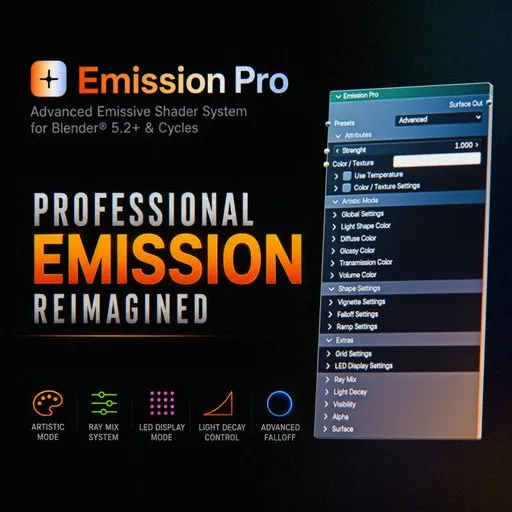
Emission Pro For Blender® 5.2+ And Cycles
 add-on
A professional emission shader for Blender® 5.2+ & Cycles, designed to create realistic and artistic emissive materials with advanced lighting control.
EMISSION PRO - The Missing Workflow
Personal License
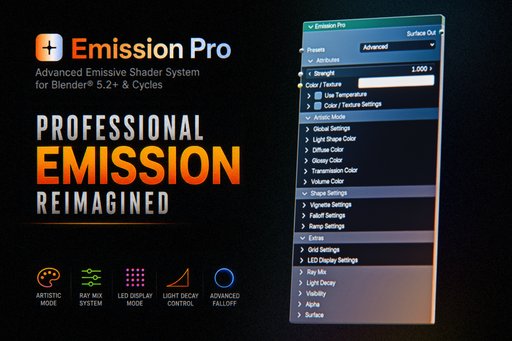
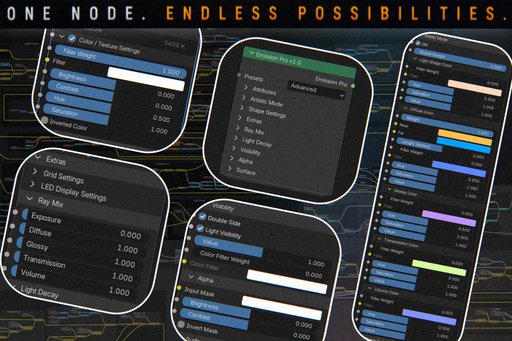
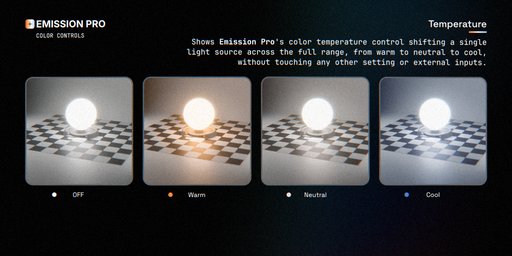
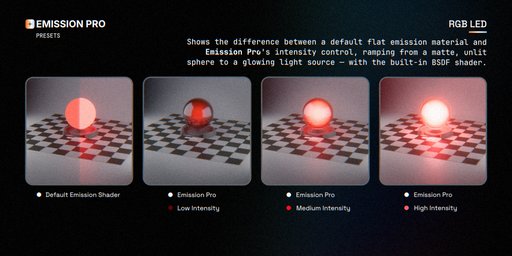
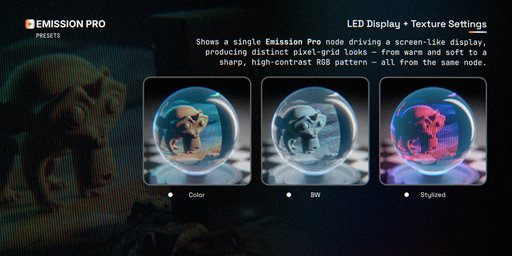
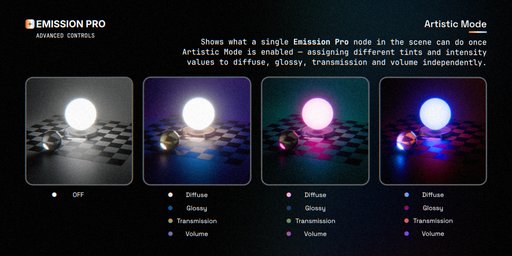
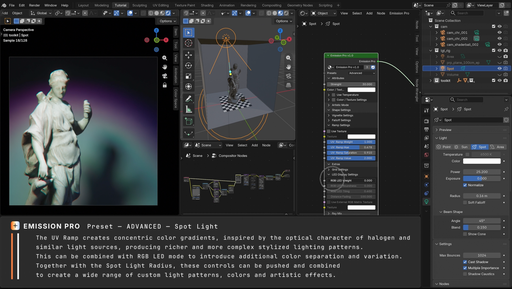
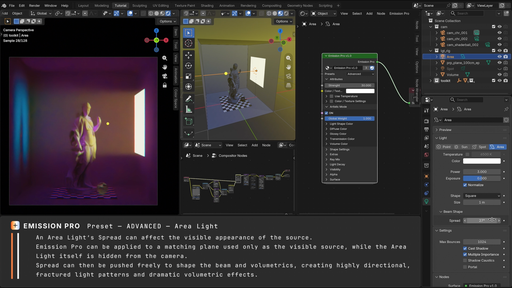
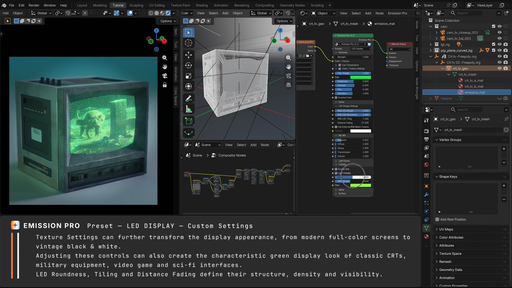
Emission Pro is an advanced shader system designed to extend the capabilities of Blender®'s native Emission material to its maximum potential.
It can be applied to any mesh, including Geometry Nodes generated geometry, and used together with physical lights as additional lighting support.
In addition to working as a standalone light source, Emission Pro is fully compatible with Blender®'s native Point, Spot, and Area lights, and can be combined with them freely.
Through a single compact interface, it is possible to create and simulate any type of emissive surface, from simple light panels to RGB LED displays, neon lights, signage, softboxes, LED diodes, abstract organic surfaces, and volumetric emission effects.
The system uses intelligent presets that automatically modify the interface by displaying only the tools actually required (inside collapsible sections), maintaining a clean, fast, and non-destructive workflow.
Unlike Blender®'s standard Emission shader, which does not expose independent user controls for each ray contribution, Emission Pro allows the contribution of Diffuse, Glossy, Transmission and Volume Rays to be adjusted independently in the Ray Mix section.
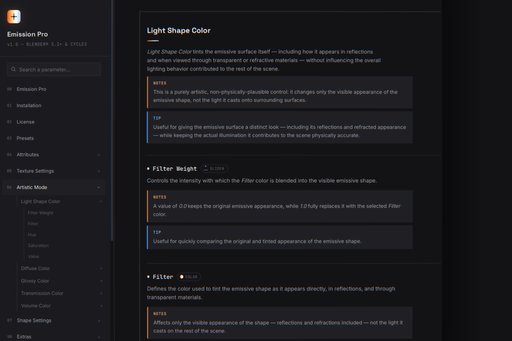
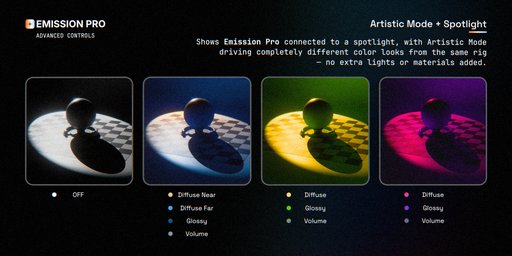
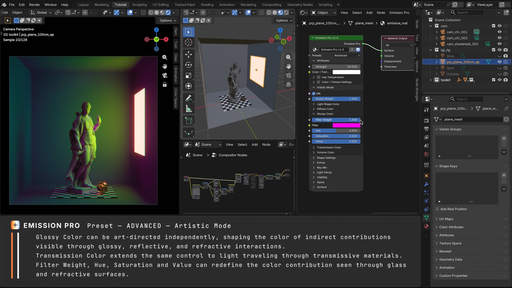
Artistic Mode transforms Emission Pro from a simple emissive material into an advanced system for creative and stylized light control.
When enabled, it unlocks a collection of non-physical adjustments that can be used to stylize the emission while preserving full control over the final result.
This allows independent color assignment for direct light, indirect illumination, transmission, and volumetric contributions without modifying the original material.
Emission Pro has been designed for look development, cinematic lighting, and artistic direction, providing a level of control normally achievable only through significantly more complex shader networks and light rigs.
What's inside:
Presets — Simple, Advanced, RGB LED, LED Display, instantly reconfiguring the interface for the job at hand;
Color / Texture + Temperature — drive emission from a color, a texture, or physically-based Kelvin temperature;
Texture Settings — filter, brightness, contrast, hue, saturation, invert, all non-destructive;
Artistic Mode — independent color grading per ray type (diffuse, glossy, transmission, volume) plus near/far diffuse falloff coloring, for full creative control over how the emission reads in reflections and shading;
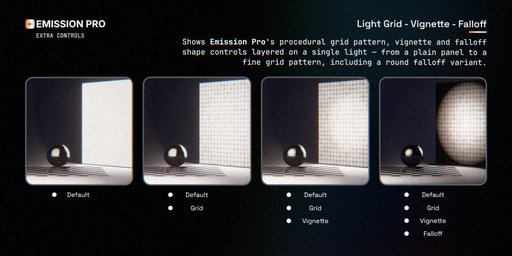
Shape Settings — procedural vignette, fresnel and UV falloff, ramp texture;
Extras — UV grid overlay and a built-in RGB LED display simulator (roundness, tiling, distance fading, external matrix texture support);
Ray Mix — independent exposure control per ray type (diffuse, glossy, transmission, volume);
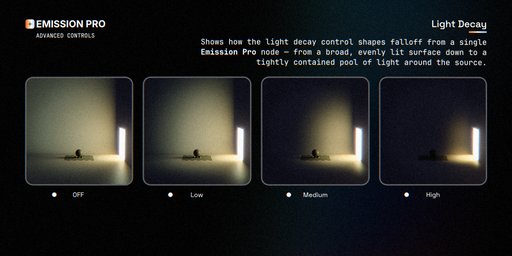
Light Decay — near/far distance-based intensity falloff with adjustable contrast;
Visibility — double-sided emission toggle, light visibility intensity, color filtering;
Alpha — mask-driven emission with brightness/contrast/invert;
Surface — an integrated Principled BSDF (base color, metallic, roughness, IOR, thin wall, normal, diffuse roughness, SSS, transmission, coat, sheen, thin film), so a single node can be an emitter and a physical surface at the same time;
Includes full HTML documentation and a ready-to-install Blender® add-on (Shift+A menu integration + one-click access to the docs).
Requires Blender® 5.2 or newer. Full ray-type control requires Cycles — all other features (color, textures, materials, visibility, alpha) work in Eevee too, making it useful for layout & animation preview. With Eevee, emission resolves to a single color rather than the full per-ray tint/intensity chain.


