
 Models
 Materials
 HDRIs
 Scenes
 Brushes
 Node Groups
 Printables
 Creators
 Creations
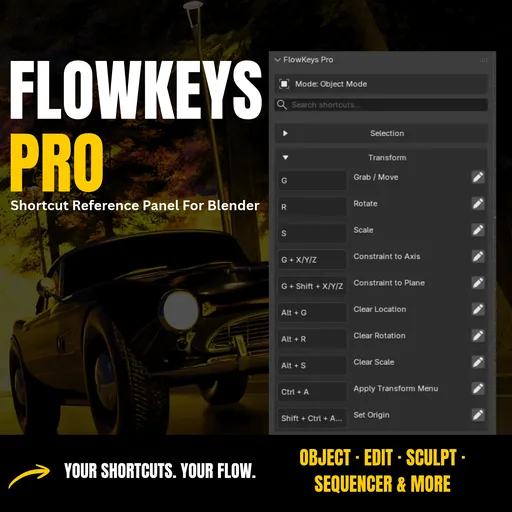
FlowKeys Pro: Blender Shortcut Reference Panel (All 11 Modes & Editors)
 add-on
Searchable shortcut panel inside Blender. Auto-detects your mode, reads your custom keymaps, saves global notes & favorites, and covers 11 modes and editors, including Sequencer, Timeline & Dope Sheet. Zero viewport clutter.
Stop Googling Shortcuts Mid-Session
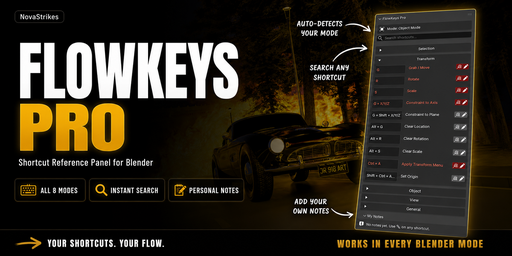
Mid-sculpt, mid-rig, mid-edit, and you forget a hotkey. You open a browser, lose your flow, lose your momentum. FlowKeys Pro puts every shortcut right inside Blender, in a clean searchable N-Panel that switches automatically when you change modes or editors.
Blender 4.0 – 5.x · Windows · Mac · Linux · N-Panel + Viewport HUD
What You Get
🔍 Instant search: type “extrude”, “loop” or “parent” and the list filters live
⌨️ 11 modes & editors: Object, Edit, Sculpt, Pose, Weight Paint, Vertex Paint, Texture Paint, Grease Pencil, Video Sequencer, Timeline, Dope Sheet
🙈 Hidden Hotkeys filter: shows only the shortcuts that aren’t in any menu, the ones you’d never find by clicking around
🌍 Global notes & favorites: saved once, available in every .blend file
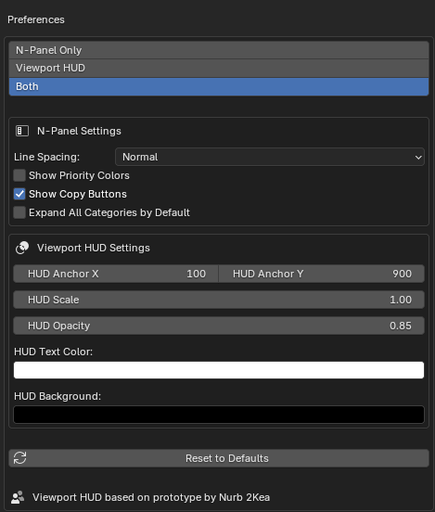
🖥️ Viewport HUD: a live overlay of relevant keys, for when your N-Panel is packed
✱ Custom keymap support: remapped keys show your binding, not vanilla
📎 One-click copy and notes export (TXT/JSON)
Try Before You Buy
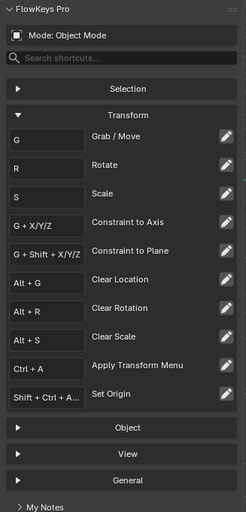
Not sure yet? FlowKeys Lite is free and open source. It’s the same clean N-Panel, with Object Mode shortcuts only (no search, notes or HUD), so you can see how it feels in your own workflow before upgrading.
👉 Download FlowKeys Lite: https://github.com/NvxStrikes/flowkey_lite
Lite gives you:
✅ Object Mode shortcuts (Selection, Transform, Object, View, General)
✅ Clean N-Panel sidebar, zero viewport clutter
✅ GPL v3, open source
Like it? Pro unlocks all 11 modes and editors, instant search, global notes & favorites, the Hidden Hotkeys filter, custom keymap support and the Viewport HUD.
Install (60 seconds)
- Download the ZIP
- Blender → Edit → Preferences → Get Extensions
- Top-right dropdown → Install from Disk
- Pick the zip, confirm
- Press N and open the FlowKeys tab
FAQ
Q. Does it work outside the 3D Viewport?
A. Yes. The sidebar works in the Video Sequencer, Timeline and Dope Sheet. The floating HUD is 3D Viewport only for now.
Q. Will it slow Blender down?
A. No. The panel is passive, and the HUD only activates during modal operations.
Q. Are the Sequencer/Timeline/Dope Sheet hidden lists perfect?
They’re cross-checked and have already been patched using customer-verified reference material. If you spot a wrong flag, message me (or email at [email protected]) and I’ll fix it.
Q. Do notes sync between computers?
A. They’re stored per machine. Use Export to move them.
Q. Are updates free?
A. Yes, for all Pro buyers.
Changelog (latest only, v3.4.1)
v3.4.1: Hidden-hotkey data fixes from customer-verified reference material. Corrected Left/Right Arrow flagging in Sequencer/Timeline/Dope Sheet and added 31 previously-missing hidden shortcuts across Object, Edit and Sculpt modes.
Includes everything from v3.4.0 (Sequencer, Timeline & Dope Sheet support).
Text, license + AI disclosure
Licensed GPL v3. Portions of the code were written with AI coding tools from a detailed human-authored specification covering architecture, logic, UI and features. All code was reviewed, tested and approved by the developer. Some promotional images were AI-assisted; the thumbnail and screenshots are original renders and captures.


