
 Models
 Materials
 HDRIs
 Scenes
 Brushes
 Node Groups
 Printables
 Creators
 Creations
SnugFit - Fit Outfits to Any Body, No Poke-Through
 add-on
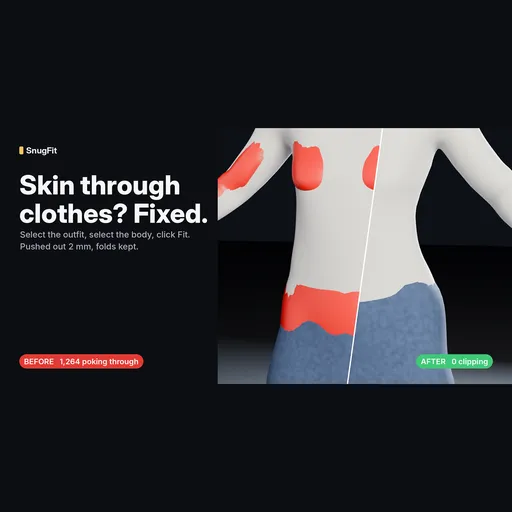
Skin poking through clothes? Select the outfit, select the body, click Fit. Pushes the cloth out and keeps the folds, fits layers, moves outfits to another body, copies weights and shape keys. Clip Check finds the worst frame of an animation.
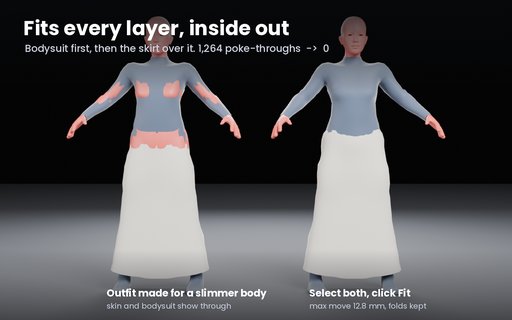
You put an outfit on a character and the skin pokes through at the chest, the hips, the elbows. Or the outfit was made for another base body and sits wrong. SnugFit fixes that in one click, without flattening the cloth.
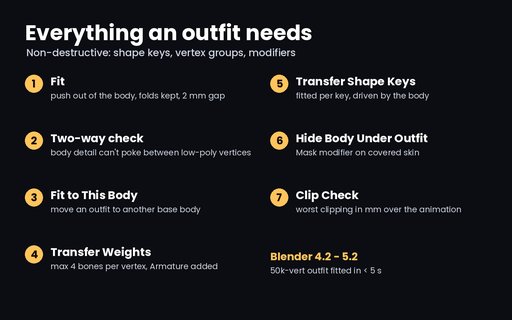
Fit: select the outfit (or several), shift-select the body, press Fit. Anything inside the body is pushed out to a small gap (2 mm default) and the push fades smoothly over the cloth around it, so folds move with it instead of getting ironed flat. It also catches body detail poking out between the vertices of a low-poly outfit, which Shrinkwrap misses. Saved as a shape key, so you can dial it back.
Layers: tights + skirt + jacket selected together are fitted inside-out, each one over the layers under it.
Fit to This Body: move an outfit made for one body onto another body in the same pose.
Transfer Weights: body skin weights onto the outfit, max 4 bones per vertex, Armature modifier added.
Transfer Shape Keys: every body shape key becomes a fitted outfit shape key, driven by the body's slider.
Hide Body Under Outfit: vertex group + Mask modifier on the covered skin.
Clip Check: scrubs the animation and reports the worst poke-through in mm and the frame it's on.
Tested: a 50,000-vertex outfit on a 30,000-vertex body fits in about 3 seconds. On the MakeHuman base body with a bodysuit and long skirt moved to a curvier body, 1,264 points poking through went to 0. Automated tests run on Blender 4.2, 4.5 and 5.2 (Windows and Linux).
Not yet: fixing clipping that only appears in one pose (Clip Check measures it). Questions or a mesh that fits wrong: leave a comment.


