
 Models
 Materials
 HDRIs
HDRIs
 Scenes
 Brushes
 Node Groups
 Printables
 Creators
 Creations
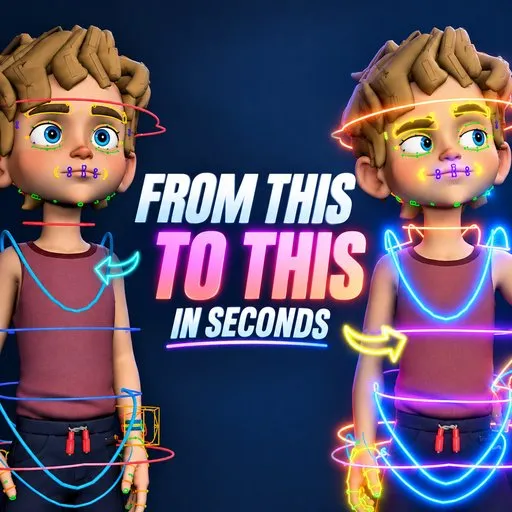
Instant-Life | Instant Animation Addon
 add-on
Instant-Life | One-click procedural animation for any Blender rig. Seven presets, per-bone control, non-destructive F-Curve modifiers, face animation, and NLA bake for game engine export. Rigify, CloudRig, and custom rigs supported.
$10
$8.5
Instant-Life | Procedural Idle Animation for Blender
Bring any character to life in one click. Instant-Life generates full-body breathing and idle motion on any rig procedurally, no keyframing, no manual F-Curve work.
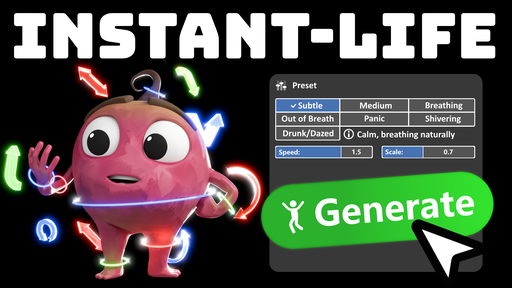
- Seven built-in presets: Subtle, Default, Out of Breath, Panic, Breathing, Shivering, and Drunk, each with tuned amplitude, speed, and chest behaviour
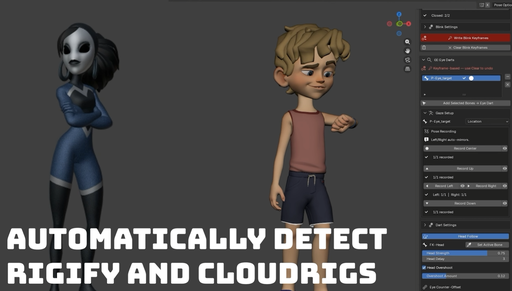
- Smart auto-detection: automatically maps bones for Rigify, CloudRig, and custom rigs by name; manual override available for any convention
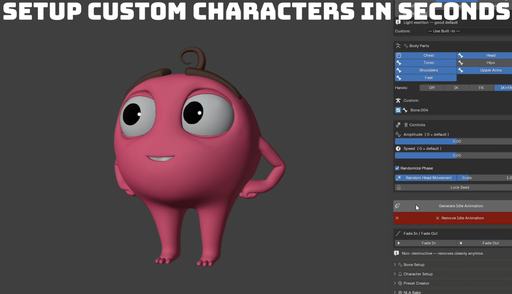
- Per-bone fine-tuning: adjust amplitude and speed independently for every body part with simple sliders
- Non-destructive: runs entirely through F-Curve modifiers; your original pose and keyframes are never touched, and everything removes in one click
- Character presets: save and export full bone configurations per character and reuse them across projects
- Custom user presets: build your own motion styles with per-body-part overrides on top of any built-in preset
- Face animation: dedicated eye blink, eye dart, and head-follow modules with keyframe-based generation and overshoot control
- Secondary motion: optional subtle random hand and head movement for added organic feel
- NLA bake: convert all motion to a clean NLA strip for Unity, Unreal, or any game engine pipeline
- Blender 4.4, 5.0, and 5.1 compatible
Designed for animators, technical artists, and tool-savvy generalists who want professional idle animation without the manual overhead.
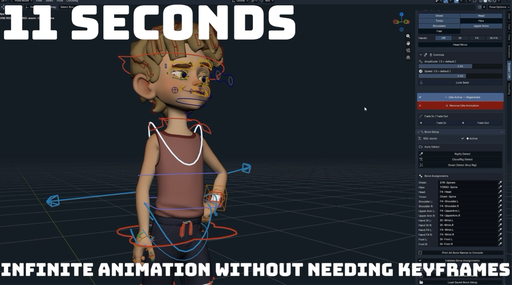
How to Use Instant-Life
Setup
- Install the addon and enable it in Blender Preferences
- Select your character's armature and switch to Pose Mode
- Open the Instant-Life panel in the 3D Viewport sidebar (N-panel, "Instant-Life" tab)
Assigning Bones
- Under the Character section, use the bone pickers to assign each body part (chest, hips, head, arms, etc.) to the matching bone in your rig
- If using Rigify or CloudRig, click Auto-Detect to fill the bone slots automatically
- Run Validate to confirm all assigned bones exist in the armature
Generating Motion
- Select a preset from the dropdown (Default is a good starting point)
- Adjust the global Amplitude and Speed sliders to taste
- Click Generate to apply the idle motion
- Scrub the timeline to preview the result
Fine-Tuning
- Use per-bone amplitude and speed sliders to balance individual body parts
- Toggle Random Hands and Random Head for added secondary motion
- Click Generate again after any change to update the motion
Face Animation
- Open the Face Animation panel
- Record open and closed poses for eye blinks, assign dart targets for eye movement, and set a head-follow bone
- Click the respective Generate buttons to produce each system
Saving and Reusing
- Save your bone configuration as a Character Preset to reuse on the same rig in future projects
- Create a User Preset to store a custom motion style you want to reapply quickly
Export
- Use the NLA Bake panel to convert all modifier-driven motion into a clean NLA strip ready for Unity, Unreal, or any game engine pipeline
- Click Remove at any time to strip all Instant-Life motion non-destructively


![AnimTex - Animate Texture Transitions [BETA]](https://public.blenderkit.com/thumbnails/assets/b4b2eba28e0741768c4faa3072aa5363/files/thumbnail_8c69b4bc-abf4-432d-81d3-d88d138f8e1c.png.1024x1024_q85_crop-%2C.jpg.webp?webp_generated=1767519976)


