How to reduce model file size in Blender? 🔗
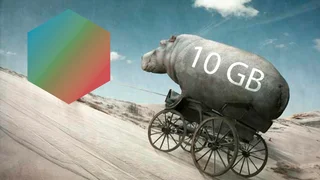
Blendkit (formerly BlenderKit) models are meant to be used in complex scenes and our users also love to export them into game engines. So in our case, size actually matters.
Additionally, if your file size is too big, your viewport may get stuck, or you may run out of memory with the Cycles renderer.
This article will explain how to reduce the file size of your models.
Subdivision surface modelling 🔗
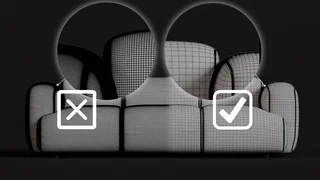
When using a Subdivision Surface modifier, never apply it before submitting the asset. Keep the original low-poly mesh editable and leave the modifier active in the modifier stack.
Applying the Subdivision Surface modifier unnecessarily increases mesh density, reduces editability, and can significantly increase the size and complexity of the asset. The asset should therefore contain a clean base mesh with an active Subdivision Surface modifier.
Make sure the base mesh produces the intended shape and correct shading when subdivided. If reducing subdivision reveals shading issues, fix the geometry or normals instead of hiding the problem by applying the modifier.
An exception may be made when applying the modifier is technically necessary, for example as part of a cloth simulation workflow.
Subdivision levels 🔗
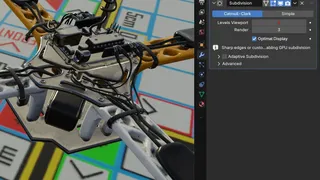
When using a Subdivision Surface modifier, set Viewport Levels to 0 or 1. Higher viewport levels unnecessarily slow down scene performance and increase the asset's resource requirements.
Render Levels are up to the creator and may be higher if needed to achieve the correct result in the final render. However, do not use more subdivision levels than necessary.
After reducing Viewport Levels, always check the shading. If artifacts or other issues appear, fix the geometry or shading instead of increasing the subdivision level.
Starting with high poly models like scans or dyntopo meshes? 🔗
Use Decimate modifier and bake normal maps.
Textures and materials 🔗
High-resolution textures are welcome since Blendkit server generates lower resolutions from them and sometimes you just need the extra resolution for the best detail. Modern game engines can also deal with high resolution textures and take care of the detail. However, don't use a 4k texture for a spoon or a cup.
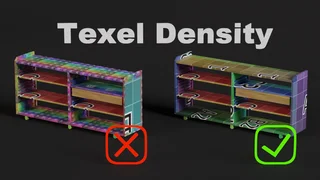
Don't use many materials on a single model/object. Always make unique UV maps and PBR image sets in a suitable app. PBR material system can combine many materials in just a few texture maps.
Thanks and hope life just got lighter!