
 Materials
 HDRIs
HDRIs
 Scenes
 Brushes
 Node Groups
 Printables
 Add-ons
 Creators
 Creations
 model
model
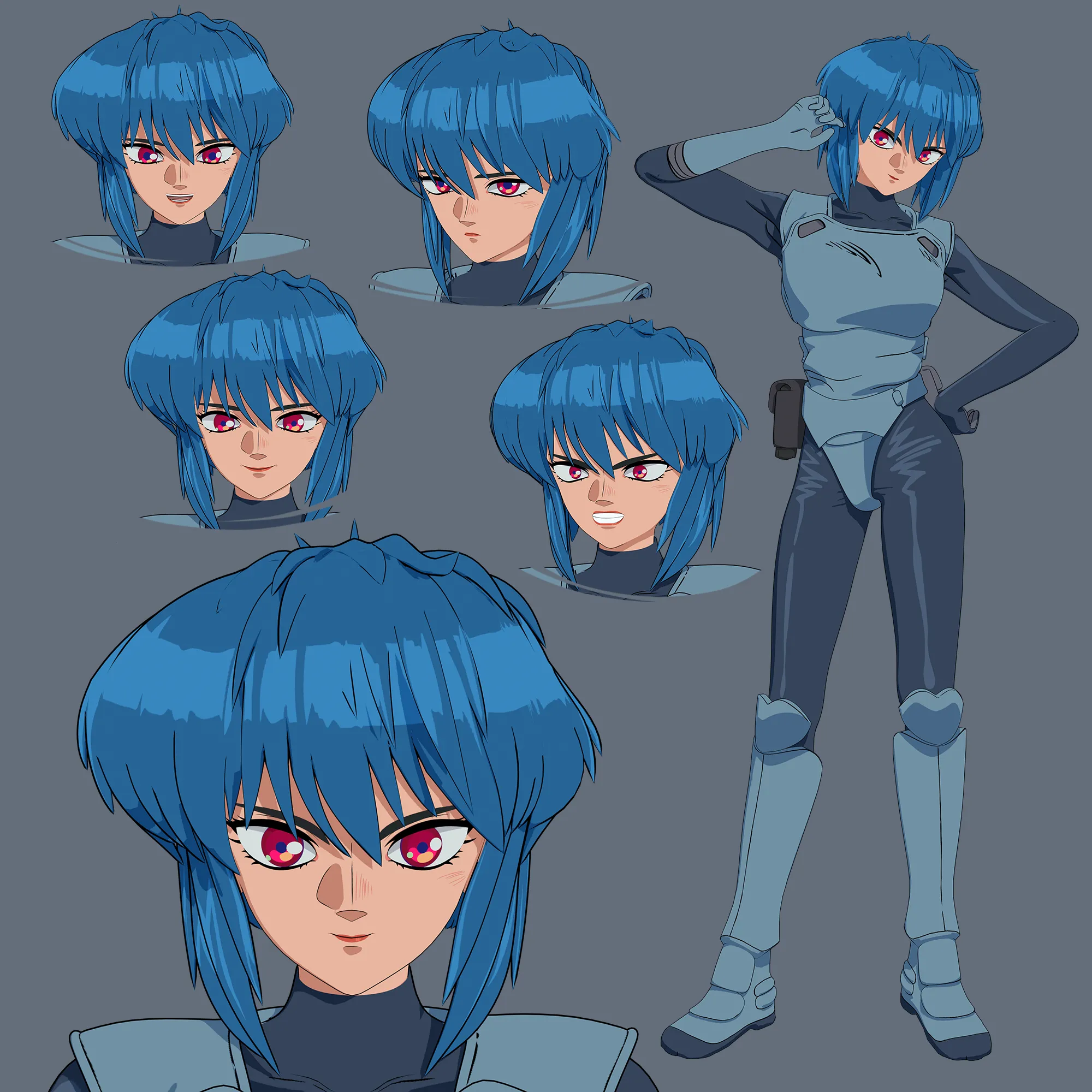
Motoko Kusanagi - Ghost In The Shell
Get this modelFully rigged Motoko Kusanagi from Ghost in the Shell (2026 Edition)! Featuring an advanced facial setup with automated drivers and a stylized anime outline effect, this asset is fully optimized for real-time video games, cinematic animation, and rendering.
Key Features:
- Advanced Facial Setup: Includes core expression presets baked into high-quality Shape Keys to easily recreate her signature focused, intense, and calm cybernetic looks.
- Automated Drivers: Designed for maximum workflow efficiency. All separate facial elements (eyebrows, eyelids, teeth, tongue, and eyes) are linked to the main head mesh via drivers. Adjusting a single slider on the main head automatically moves the entire face in perfect synchronization.
- Independent Control: Maintain full artistic freedom. If a specific shot requires isolated adjustments (e.g., controlling only the mouth or individual eyebrows), you can easily unlink elements by right-clicking the driven parameter and selecting "Delete Driver".
- Hybrid Animation System: Combines a clean, functional facial bone rig with custom Shape Keys. The bone hierarchy handles smooth topological deforms, while the shape keys provide precise anime expressions. Using both systems together yields the most expressive results.
- Clean & Game-Ready Topology: Built with optimized quad-dominant geometry, ensuring clean mesh deformations during complex animations.
- Stylized Anime Outline Effect: Integrated line-art setup tailored to capture the iconic Ghost in the Shell anime aesthetic seamlessly.
- Lighting & Shader Setup: Shader parameters are optimized for Blender’s Eevee engine. Adding a standard light source to your scene instantly activates the custom shadow passes and flat-shaded anime aesthetics.
- Quick Modifier Control: Instantly toggle the outline effect or subdivision levels on/off by selecting the mesh and using Alt + Left Mouse Button (LMB) on the viewport display icon in the Modifiers tab.
- Shadow Tuning: If shadow artifacts appear in custom scenes, simply disable soft shadows or adjust shadow settings under Eevee’s render properties.
I hope you enjoy working with the Major! If you have any questions, experience issues, or require custom adjustments/rigging tweaks for your project, feel free to contact me directly here or through ArtStation: [https://artstation.com/chpndl] — I'm happy to help!


