Models
 Materials
 HDRIs
HDRIs
 Scenes
 Brushes
 Node Groups
 Printables
 Creators
 Creations
Strokepie
 add-on
Strokepie
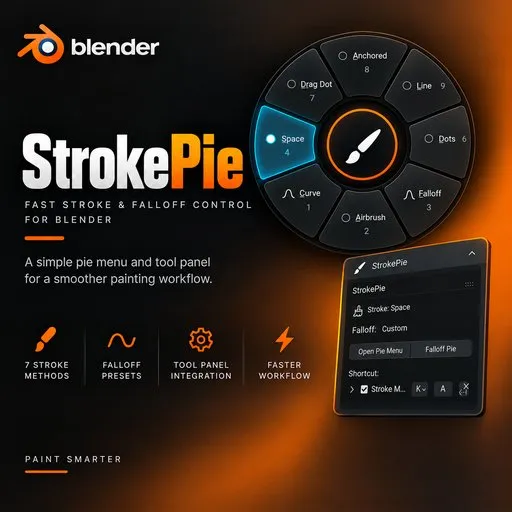
Strokepie is a streamlined workflow add-on for Blender designed to speed up texture painting by giving artists instant, gesture-based pie menu access to brush stroke methods and falloff shapes without navigating sub-menus.
Strokepie: Speed Up Texture Painting Process in Blender
-
Instant Stroke Method Switching: Quickly toggle between all 7 stroke methods—Space, Dots, Airbrush, Anchored, Drag Dot, Line, and Curve—directly from a clean pie menu.
-
Integrated Falloff Selector: Access brush falloff presets seamlessly across an organized 2-page pie menu structure In Page 1_ Under➡ Falloff ➡ Sharper, Sphere, Smooth, Smoother, Sharp, Root, Linear and More Options
Page 2_ Under➡ More ➡ Inverse Square, Constant, Custom and Back -
Dedicated Tool Panel: Integrates into the N-panel (Tool tab) in both 3D Viewport (Texture Paint mode) and Image Editor (Paint mode) showing current brush states and quick-trigger buttons.
-
Clean Context-Aware Filtering: Automatically disables pie menu execution outside of texture painting contexts (such as Object or Edit modes) to keep your keymap clean.
-
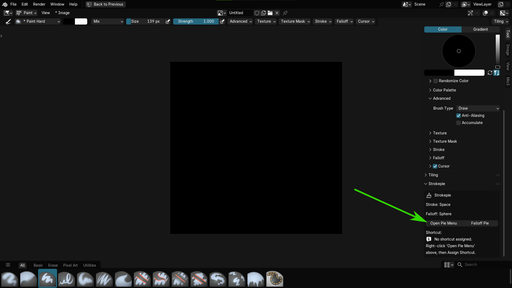
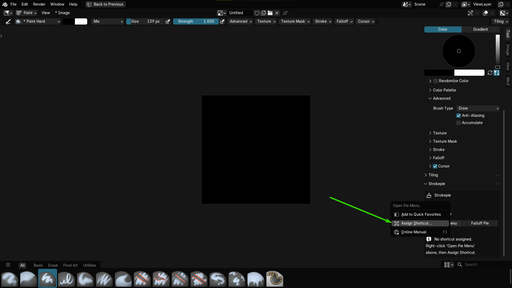
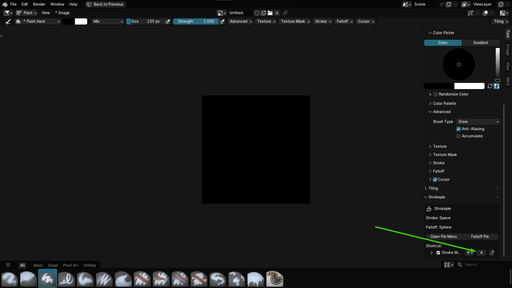
Assign Custom Shortcut: Ships with zero default shortcut conflicts, allowing you to right-click and assign any key binding you prefer.
-
Lightweight & Fast: Pure Python implementation optimized for low impact on Blender performance.
-
3D Texture & Hand-Painted Artists requiring rapid brush adjustment during painting workflows.
-
Concept Artists and digital painters utilizing Blender's Image Editor for asset texturing.
-
Website: Visit our Discord Server for updates and artwork showcase and many more
-
Documentation & Setup: Installation instructions and usage details are included in the package README
- Blender Version: Blender 4.2.0+ (Tested up to Blender 5.0/5.2)
- Category: Paint / Add-on
- License: GNU General Public License v3.0 or later (GPL-3.0-or-later)
- Maintainer: Zoro.D.Uchiha
Tool Panel: N-panel integration for 3D Viewport & Image Editor
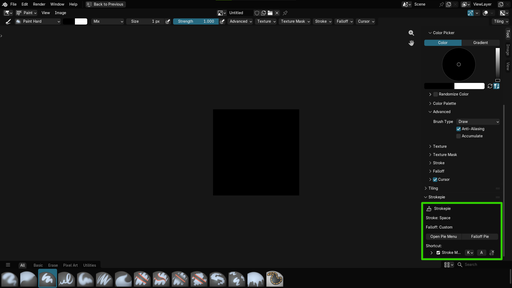
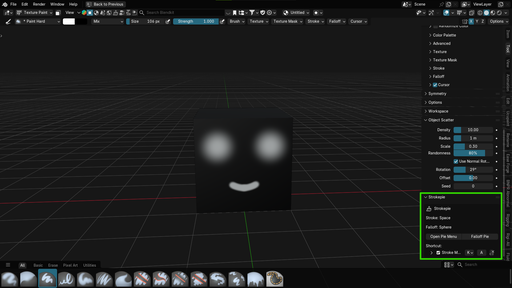
Fully Customizable: Assign any shortcut without key conflicts
- Assign Custom Shortcut: Right-click on the (Open Pie Menu) to assign your own Custom shortcuts