
 Models
 Materials
 HDRIs
HDRIs
 Scenes
 Brushes
 Node Groups
 Printables
 Creators
 Creations
Layerify | Layered Image Editor for Blender
 add-on
Photoshop-style layers, masks, brushes, filters, text and PSD files inside Blender's Image Editor. Your model updates with every stroke. New in 1.1: finish your renders with Camera Raw, and Texture Paint straight into layers.
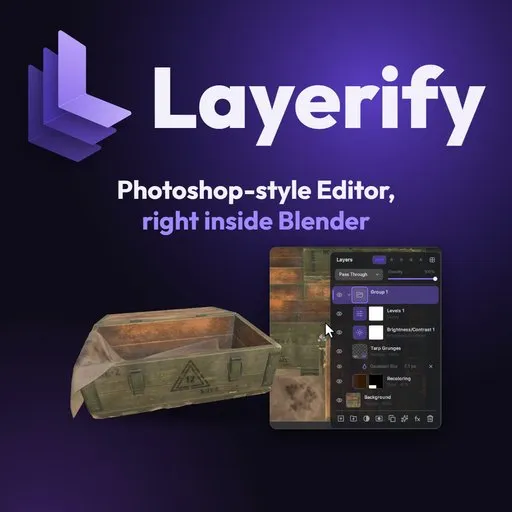
Photoshop-style editor, right inside Blender
Layers, masks, brushes, filters, text and PSD files in Blender's Image Editor, and your model updates with every stroke. No exporting to Photoshop, saving and reloading: the editing comes to the texture.
New in 1.1
- Finish your renders: Edit Render opens the render in layers, every render pass too. Grade it with the new Camera Raw filter, mask an object with a click, then render again: every edit stays.
- Paint on the model: keep Layerify open and paint with Blender's Texture Paint. Every stroke lands in a layer, soft edges kept, one Ctrl+Z each.
- UV tools: click an island on the image or right on the model to select it, find overlaps, add UV padding.
- Your own shortcuts for any tool or menu command.
- Adjustments, upgraded, symmetry for every brush, two new themes, and blend modes previewed as you hover them.
Everything you'd reach for in Photoshop
- Layers: pixel, adjustment, fill, text and shape layers, groups and smart objects; 27 blend modes, opacity and fill, clipping masks
- Masks: paint, fill or filter them, view one on its own, load one as a selection
- 16 adjustment layers and ~50 filters, kept editable as smart filters with their own masks
- Brushes: pressure, symmetry, dynamics, texture and dual brushes; import your Photoshop .abr brushes
- Retouching: Healing Brush, Spot Healing, Clone Stamp, History Brush, Dodge / Burn / Smudge
- Text and shapes that stay editable, in any font and any language; 34 custom shapes
- Layer styles: Drop Shadow, Stroke, Bevel & Emboss, glows and overlays
- PSD files: open and save Photoshop files with their layers, masks, styles, text and smart objects
Made for textures
- Make Tileable and a Tiling Preview to paint across the seams
- Channels: view or paint R, G, B or A alone
- Channel Packer: pack roughness, metallic, AO... into one image (ORM and more), unpack them, and export texture sets for Unreal, Unity, Godot and glTF
- UV layout over the image, UDIM tiles, and linked maps that follow the color map's crops and resizes
- 8K textures stay responsive
Requirements
- Blender 4.2 LTS to 5.2
- Windows x64, Linux x64, macOS 11+ on Apple Silicon; Intel Macs: Blender 4.2 to 4.5
- One zip for every system: Edit > Preferences > Get Extensions > Install from Disk
- No internet connection or admin rights needed
What's next
- 3D Tools: Layerify's own tools working directly on the model (1.2)
- 2D Decals (Normal / Height)
- Texture Paint on UDIM
Found a bug or have a request? Message me on Discord: peakz9155. In Layerify, the help sheet (?) has Copy Support Info: paste it into your message.
Adobe, Photoshop and Camera Raw are trademarks of Adobe Inc. Layerify is not affiliated with or endorsed by Adobe; their names are used only to describe compatibility and familiar ways of working.


