
 Models
 Materials
 HDRIs
 Scenes
 Brushes
 Node Groups
 Printables
 Creators
 Creations
Texture Budget Pro
 add-on
Audit texture sizes, preview a budget plan, create resized PNG copies and restore original image assignments.
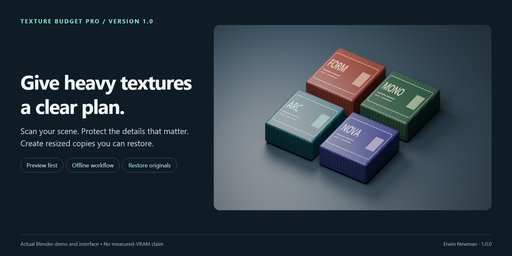
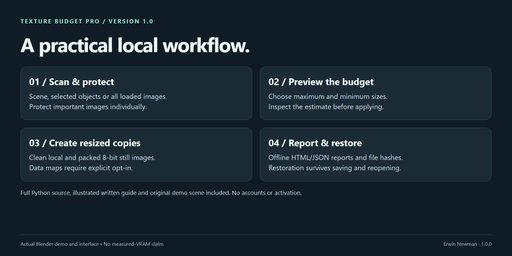
Heavy textures can consume a large share of a Blender scene's image storage. Texture
Budget Pro gives you a clear plan before applying changes: choose a size cap and
estimated budget, protect important images, inspect the proposed resolutions, and
create resized copies in a new folder.
- Scene, selected-object and all-loaded-image scan scopes.
- Nested material/world/geometry node discovery and compositor support.
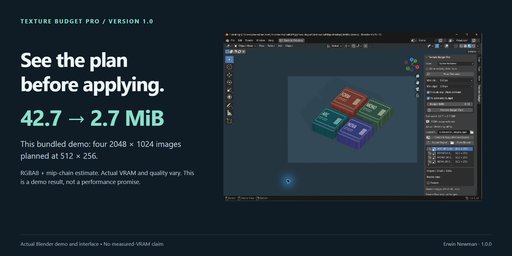
- RGBA8/RGBA32F storage estimates with an optional mip-chain model.
- Deterministic budget planning with a size cap, minimum edge and per-image protection.
- Local and packed 8-bit still-image resizing through Blender's native image system.
- Data maps protected by default, with explicit opt-in.
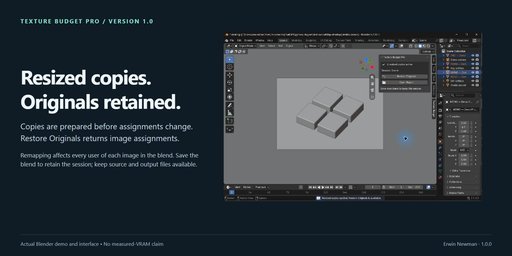
- Copies prepared before image assignments are changed.
- One-session restoration that survives saving and reopening the blend.
- Offline HTML/JSON budget reports and original/output file hashes.
- Original source files are never overwritten. No pip packages, accounts or activation.
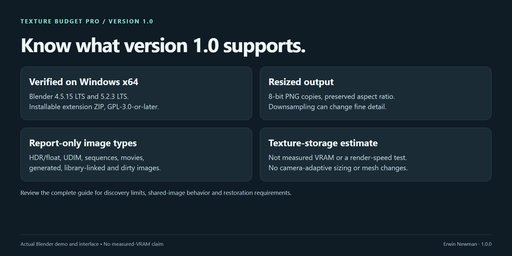
The estimates are not measured VRAM. Resizing reduces detail and cannot guarantee
render speed, visual equivalence or freedom from memory crashes. HDR/float, UDIM,
sequence, movie, generated, linked and dirty images are report-only in 1.0.
Changes apply to every user of each resized image in the blend, including shared
materials in other scenes. Restore before deleting image datablocks. Disabling the
extension restores originals; output files are retained. Keep original external
source files and the generated output folder available. Save your scene to retain
restoration data. The extension does not save your scene automatically.
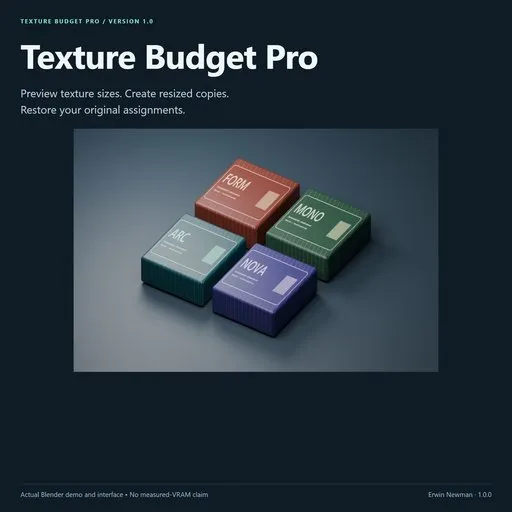
Includes full Python source, GPL license, complete written guide, and an original
four-product example scene with packed 2K artwork. Windows x64; see release records
for completed tests on Blender 4.5.15 LTS and 5.2.3 LTS. Other operating systems have
not been tested.
Texture Budget Pro 1.0.0
Plan texture sizes before changing your scene. Create resized PNG copies, review
an offline budget report, and restore your original image assignments.
In Blender 4.5.15 LTS or 5.2.3 LTS on Windows x64, open Edit → Preferences → Get
Extensions, open the menu at the top right and choose Install from Disk.
Select texture_budget_pro-1.0.0.zip and enable the extension. In the 3D Viewport,
press N and choose the Texture Budget tab. No pip packages or network
connection are required.
Open USER_GUIDE.html in a browser for the illustrated offline guide.
Quick start- Save your working scene. The bundled examples/demo.blend is available for practice.
- Choose Scene textures, Selected objects, or All loaded images.
- Leave Allow resizing data maps off unless you understand the filtering
consequences for normals, displacement, masks and other data textures. - Click Scan Textures. The scan does not resize or remap anything.
- Set Max edge and Min edge. Images are never upscaled; their
aspect ratio is preserved, with integer dimensions rounded down. - Enable Fit estimated budget and enter your budget in MiB, or disable it to
use only the size cap. The planner repeatedly halves the largest eligible
texture until the budget is met or the minimum edge is reached. - Click the padlock beside any image to Protect it. This keeps its resolution
even when it exceeds the cap or budget. Click Preview Budget Plan after
changing protection, sizes, the budget or the mip-chain estimate. - Choose an output folder, then click Create & Apply Resized Copies.
Blender prepares all copies before changing any image assignments. In the
interface, Esc cancels between images; one large image can take time. - Inspect the results. Open Report opens an offline HTML summary; the
same folder also contains JSON, source/output hashes and resized PNG files. - Use Restore Originals to revert the assignments. Save your .blend if
you want its restoration session to survive closing Blender.
This is an estimate of RGBA texture storage, not a VRAM meter. Byte images use
an RGBA8 model; float images use RGBA32F. The optional mip-chain model counts
successively halved dimensions down to 1×1. Actual GPU/renderer memory depends on
compression, channel conversion, caching, sharing and the renderer. Meshes,
acceleration structures, render buffers, subdivision and other memory are not
included. A smaller estimate does not guarantee faster renders or prevent a crash.
Missing/undecodable images with unknown dimensions contribute zero to the model;
their warning means the total is incomplete. Protected and unsupported images
with known dimensions remain included. Budget unmet means the target cannot
be reached with the current protections, supported images and minimum size.
Resizing supports clean, local, non-float FILE images, including packed still
images. The output is an 8-bit PNG copy; source files are never overwritten.
The copy retains the original Blender color-space assignment and alpha mode.
Colors and fine detail may change through downsampling and PNG encoding. This is
not lossless optimization. Use protection for close-up labels or hero textures.
Library-linked images, float/HDR, generated images, UDIMs/tiled images, sequences
and movies are reported but are not resized in 1.0. Dirty images with unsaved pixel
edits are skipped. Save the source image and rescan first. Original external files
must remain available for reloading them after restoration. Packed sources stay packed.
Scene discovery includes material nodes, world nodes, compositor nodes, geometry
node trees, nested groups and image-valued sockets/modifier inputs. Selected scope
includes materials and geometry-node image references on selected objects. It does
not perform camera-based visibility analysis or estimate how large a texture looks
in a render. All Loaded Images may include unused images deliberately kept in the file.
Collection instances and object/collection references inside geometry nodes are not
recursively resolved. Use All loaded images when the scene uses these workflows;
that mode also includes unused images. Engine-specific texture references outside
Blender image datablocks are outside the scan's scope.
Remapping affects every user of each resized image in the entire .blend.
That includes other scenes and objects outside Selected scope when they share the
same image. This prevents inconsistent copies of a shared texture. Use a separate
saved project copy if different scenes need different image resolutions.
Only one optimization session can be active per .blend. Original image IDs are
kept alive and referenced by the saved session. Restoration survives image renaming
and file save/reopen while the extension is enabled. Do not delete original or
resized image datablocks manually during a session. Disabling the extension restores
the originals. Resized files remain on disk after restore, cancellation or failure.
Do not move/delete the generated output folder while using its images. Output
folders are unique and contain no overwritten source files. A cancelled or failed
run may retain partially generated copies and a status report, but does not apply
a partially prepared plan. Reports reference local source paths; review them before
sharing them with a client. The original .blend is not saved automatically.
- Images changed since the scan: rescan after changing source paths, images,
color spaces or saving pixel edits. - Budget unmet: unlock appropriate images, opt in to data maps if appropriate,
choose a smaller minimum, or use a larger budget. - No textures need resizing: lower the maximum edge/budget or inspect skipped
image reasons. - Missing source: relink/save the image using Blender and rescan. This extension
does not guess replacements for missing images. - Original or resized image deleted: open your pre-optimization .blend backup.
- Output folder too long: select a shorter folder, at most 155 UTF-16 characters.
GPL-3.0-or-later; full Python source is included. Use your purchase platform's creator
messaging channel for support. Include your Blender version, exact error and steps
to reproduce. Do not send confidential scenes unless you intend to share them.
The included verification notes describe the tested scope. Marketplace review and sales are not guaranteed.


