Models
 Materials
 HDRIs
HDRIs
 Scenes
 Brushes
 Node Groups
 Printables
 Creators
 Creations
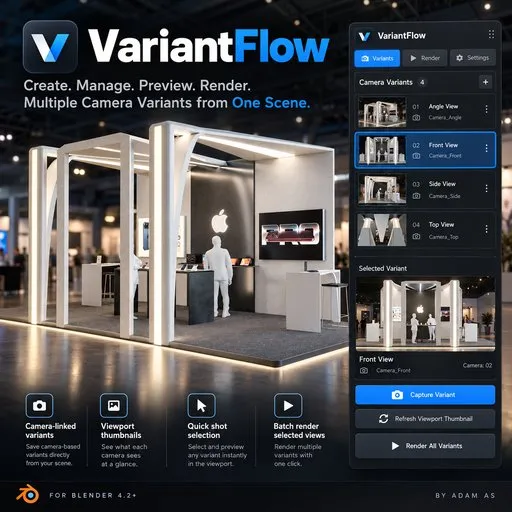
VariantFlow
 add-on
Camera-linked variants with viewport shot thumbnails
🎨 VariantFlow — Blender Add-on
Developed by Adam As
⚠️ IMPORTANT NOTE: WHEN YOU CLICK "RENDER ALL VARIANTS," BLENDER MAY APPEAR TO BE FROZEN OR NOT RESPONDING. DON'T WORRY! THE RENDERING PROCESS IS STILL RUNNING. PLEASE GIVE IT ENOUGH TIME TO FINISH. RENDERING TIME DEPENDS ON YOUR SCENE COMPLEXITY, CAMERA SETUP, RENDER ENGINE, RESOLUTION, AND RENDER SETTINGS. DO NOT FORCE-CLOSE BLENDER WHILE RENDERING!
🚀 Create, Manage & Render Multiple Camera Views with Ease!
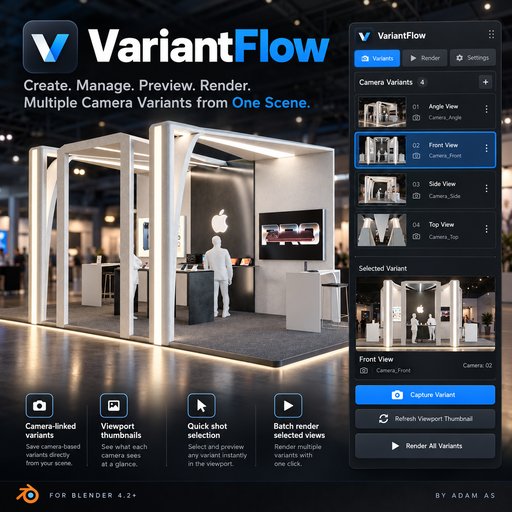
VariantFlow is a Blender add-on designed to simplify camera management, scene variations, and batch rendering. Instead of manually switching cameras and rendering each shot individually, VariantFlow lets you organize everything in one place and automate your workflow.
🛠️ How Does It Work?
- 📸 Select Your Camera
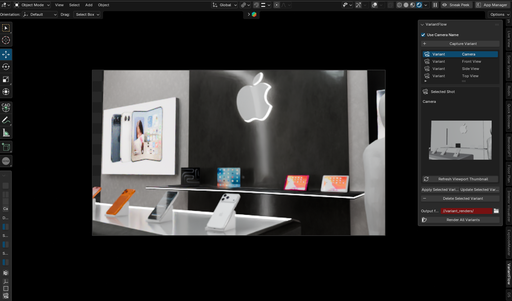
Choose any camera in your Blender scene. VariantFlow allows you to create a variant linked directly to that camera.
- 💾 Capture Your Variant
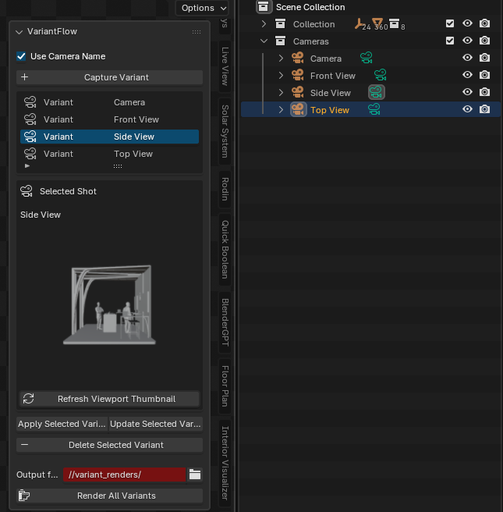
Click Capture Variant to save the current scene setup. The variant is automatically named after your selected camera, making it easy to identify each shot.
- 🖼️ Preview Your Camera
Click Refresh Viewport Thumbnail to generate a small preview showing what your selected camera sees.
- 🔄 Switch Between Variants
Simply select a variant from the list. Blender automatically activates its assigned camera and switches the viewport to that camera's perspective.
- 🎬 Render All Variants
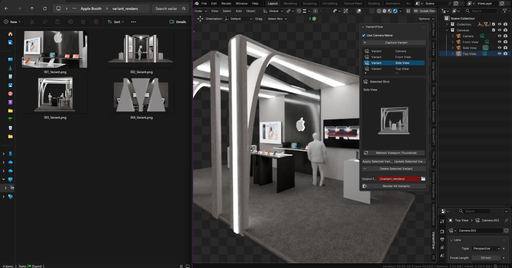
Once your variants are ready, click Render All Variants. VariantFlow processes each saved variant using its assigned camera, eliminating repetitive manual camera switching.
✨ Key Features
📷 Camera-Linked Variants — Assign different cameras to individual variants.
🖼️ Viewport Thumbnails — Preview your camera shots directly inside the add-on.
⚡ Quick Camera Switching — Jump between saved camera views instantly.
🏷️ Automatic Naming — Variants inherit their assigned camera names.
🎞️ Batch Rendering — Render multiple camera views automatically.
💾 Scene Variations — Save and restore supported scene configurations.
🎯 Organized Workflow — Keep your shots and variations together in one Blender project.
👨🎨 Perfect For
🏢 Architectural & Exhibition Visualization
📦 Product Visualization
🎥 CGI & Motion Design
🚗 Automotive Rendering
🛍️ Commercial & Advertising Projects
🧩 Compatible With: Blender 4.2+
👨💻 Developer: Adam As
🚀 VariantFlow — One Scene. Multiple Views. Less Repetitive Work.