
 Models
 Materials
 HDRIs
HDRIs
 Scenes
 Brushes
 Node Groups
 Printables
 Creators
 Creations
Blender Theme Studio
 add-on
Customize Blender's entire UI theme in one click — viewport, editors, headers, panels, buttons, text & selection colors, live preview, 8 built-in presets, and custom preset saving. No files touched, fully undoable.
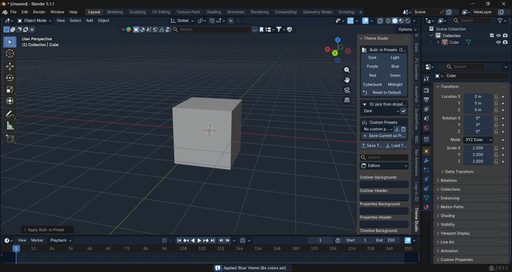
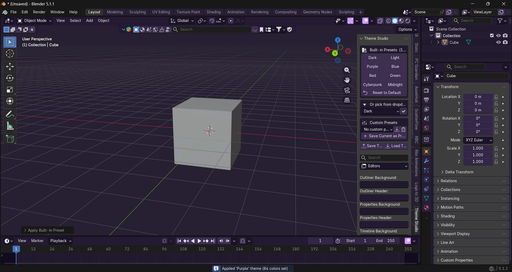
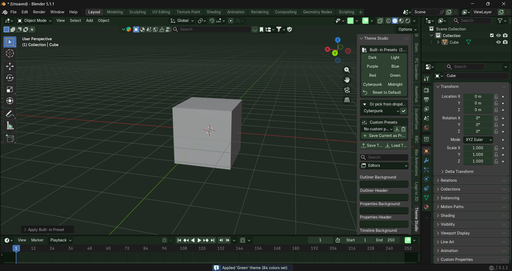
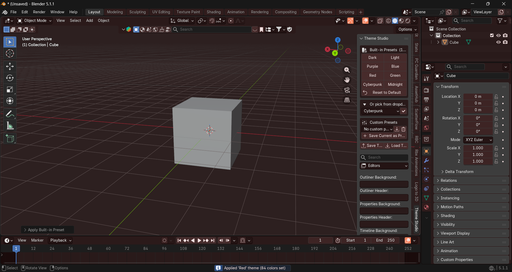
Blender Theme Studio gives you complete control over Blender's visual appearance — right from a clean, native-feeling sidebar panel, without ever touching Blender's installation files.
Change every part of the interface: the 3D Viewport background and gradient, Outliner, Properties editor, Timeline, Node Editor, Text Editor, headers, panels, buttons, selection and active-object colors, text colors, outline colors, and warning/error/info colors. Every color picker edits Blender's real theme directly, so you see the result instantly — true live preview.
Jump-start your look with 8 built-in presets — Dark, Light, Purple, Blue, Red, Green, Cyberpunk, and Midnight — each applying a full, coordinated color scheme across the entire UI in a single click. Fine-tune from there with a search box that instantly filters properties by name, organized into seven clear categories: Viewport, Editors, UI, Text, Buttons, Selection, and Misc.
Save your own custom presets to reuse anytime, or export/import a complete theme as a portable file to share with others. One click resets everything back to Blender's factory defaults if you want to start over.
Built entirely on Blender's native Python API, compatible with Blender 4.2 and newer, with no external dependencies required.**


