
 Add-ons
 Models
 Materials
 HDRIs
 Scenes
 Brushes
 Node Groups
 Printables
 Creators
 Creations
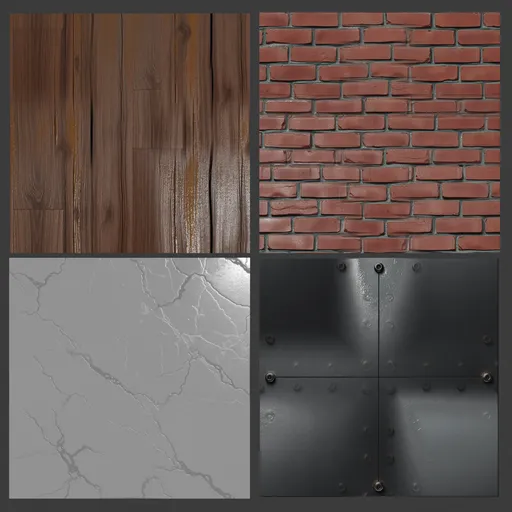
AI Material Generator Pro turns a short text prompt into a complete, render-ready PBR material inside Blender.
Type "old red brick wall, weathered mortar" into the sidebar, press Generate, and the add-on fetches an AI-generated texture, derives roughness, normal and height maps from it, builds the full shader node tree and assigns it to your selected objects. No API key, no Python packages, no external tools — just Blender and an internet connection.
FEATURES
- One-click PBR material generation from a text prompt
- Smart prompt builder: style presets (Photorealistic, Stylized, Sci-Fi, Organic) and surface condition presets (Clean, Weathered, Wet, Mossy) are appended automatically
- Base color, Roughness, Normal and Height maps generated on the fly
- Edge-blended seamless option for repeating UVs
- Complete node tree: UV mapping, roughness ramp, normal map, bump and displacement
- Applies to every selected mesh, curve, surface, text or metaball object
- Reproducible results via a Seed field
- Optional texture packing so maps travel inside the .blend
- Non-blocking: the download runs in the background with a live status line and a Cancel button
- Rate-limit aware: waits out the free tier's 45-second cooldown and retries automatically instead of failing
REQUIREMENTS
- Blender 3.6 or newer (tested on 4.5)
- Internet connection
- "Online Access" enabled in Preferences > System (Blender 4.2 and newer)
- No Python packages required — NumPy ships with Blender
HOW TO USE
- Open the 3D Viewport sidebar (N) and choose the "AI MatGen" tab
- Describe the material in the Prompt field — English prompts work best
- Pick a Style and, optionally, a Wear preset
- Adjust seamless blending, bump strength, displacement scale, normal detail and UV tiling
- Press "Generate PBR Material" — the material is created and assigned to your selection
FREE TIER VS YOUR OWN KEY
The add-on works out of the box on Pollinations' free tier: one image every 45 seconds per IP at 768 px, with a small logo.
If you add your own Pollinations API key in the API Key box (the "Get Key" button opens the key page), requests go to the keyed endpoint instead: no per-IP waiting, 1024 x 1024, no logo, and the key's own balance is used.
GOOD TO KNOW
- Roughness, normal and height maps are derived procedurally from the generated image's luminance. They are fast, convincing approximations — not physically captured PBR data.
- Seamless blending is an edge blend, not a true tiling generator. Busy patterns may show a soft repetition through the middle.
- Prompts describing flat, evenly lit surfaces work best: a close-up of a material, not an object sitting in a scene.
- Displacement needs the material's displacement method set to Bump or Displacement, and true displacement in Cycles requires the experimental feature. The add-on sets the method to BOTH; EEVEE only shows the bump component.
- Prompts are sent to Pollinations' public image API. Do not put confidential text in them.
- Generated textures are AI output — check the terms of the service before commercial use.
CHANGELOG 2.3.0
- API key support with Get Key, Paste, Clear and a built-in How It Works panel
- Requests switch to the keyed endpoint automatically when a key is present
- Fixed HTTP 402 handling: free-tier cooldowns are waited out and retried; an empty key balance fails fast with a clear message
- Removed the Turbo engine — FLUX only
- Non-blocking modal generation with progress and cancel


