
 Models
 Materials
 HDRIs
HDRIs
 Scenes
 Brushes
 Node Groups
 Printables
 Creators
 Creations
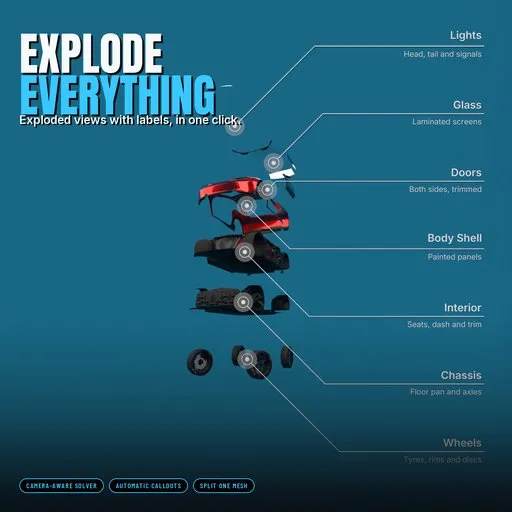
Explode Everything
 add-on
Split any model into its real parts, explode it so every part reads from your camera, and label everything with premium animated callouts. Explode-only or a full explainer in one click.
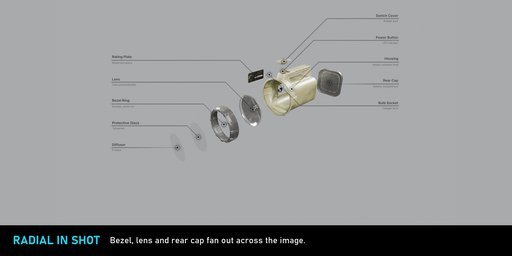
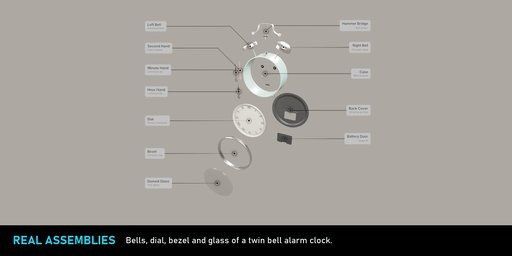
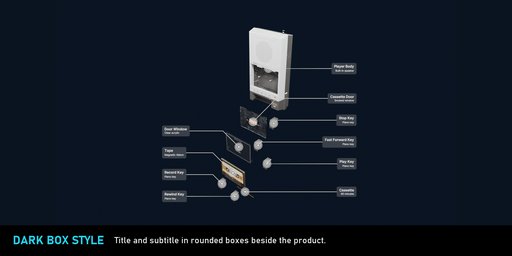
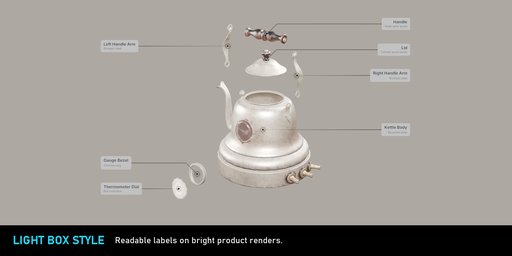
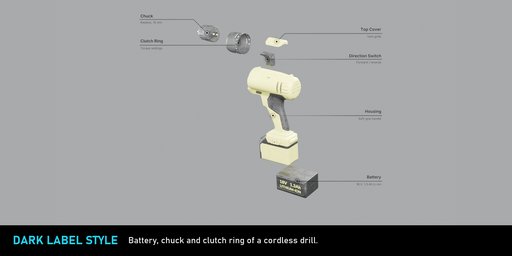
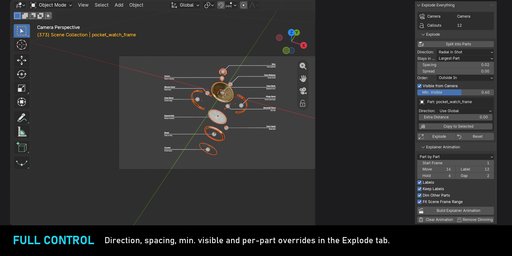
Exploded views that look designed, not dragged apart
Explode Everything turns any multi-part model into a clean exploded view with professional callout labels - and animates the whole explainer for you. Built for product visualisation, e-commerce renders, technical explainers and ads.
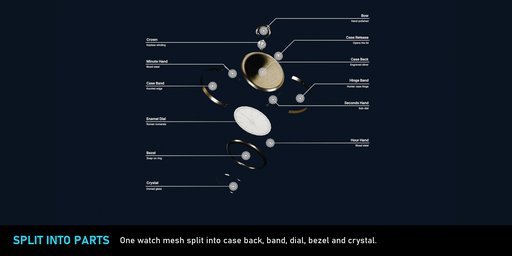
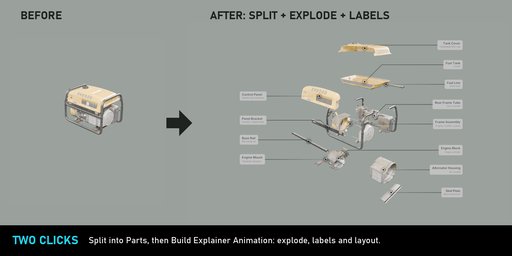
Split any model into real parts- Split into Parts turns a single mesh into the separate pieces it is made of - case, glass, dial, bezel, lens, battery - in one click.
- Tiny pieces like screws and rivets join the nearest bigger part, so you get readable parts, not confetti. Materials, UVs and modifiers are kept.
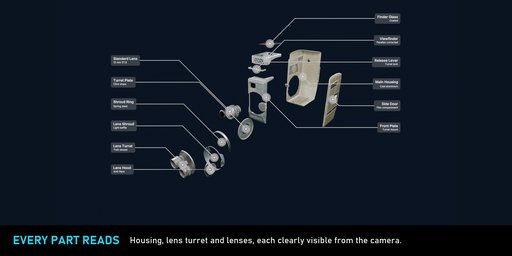
- Visible from Camera: the solver ray-casts the real mesh surfaces and finds the tightest even spacing at which every part is clearly seen in your shot. Nothing hides behind a neighbour, nothing flies off.
- Even, compact spacing using each part's real shape - rotated, thin and nested parts come out cleanly.
- Directions: Radial, Radial in Shot (parts fan out across the image), X / Y / Z, the part's own axis.
- Per part control: override the direction (+/-X, +/-Y, +/-Z, part axis, radial, stay), add extra distance, copy to selected.
- Stays in place: the largest part, the active object, or nothing.
- Works with modifiers, subdivision, curves, text and dense meshes. Non-destructive: uses Delta Location, Reset is exact.
- Title + subtitle labels in Inter, leader lines with 45 degree elbows, marker with ring and soft halo.
- Styles: Clean White, Dark, Dark Box, Light Box, Accent - or your own colours and font.
- Arrange Labels builds tidy columns beside the product and picks the left/right split with the fewest crossing lines.
- Labels follow the camera live - lens, sensor fit, shift, pixel aspect, orthographic and moving cameras.
- Real geometry: renders in Eevee and Cycles, even on a render farm without the add-on installed.
- Part by Part, Explode then Label or Labels Only sequences with eased marker pop, line draw and text fade.
- Other parts dim while one is explained; everything returns at the end.
- No part ever moves through another one that has not moved yet - in any order.
- Render every step as a still with one button.
- Only need the explode? Use Explode for a still, or switch Labels off for an explode-only animation.
330+ automated checks on Blender 4.2 LTS, 4.5 LTS and 5.2 LTS, including real Eevee/Cycles renders, complex meshes and frame-by-frame animation checks.
Showcase models: Poly Haven (CC0).
Quick start
- Install the .zip via Edit > Preferences > Get Extensions > Install from Disk. Open the Explode tab in the 3D view sidebar (N).
- Make sure your scene has an active camera.
- Select your product. If it is one mesh (or a few), click Split into Parts first - adjust Min. Part Size and Max. Parts in the redo panel.
- Select all parts of your product.
- Explode panel: pick a Direction, keep Visible from Camera on, click Explode. Reset puts everything back exactly.
- Callouts panel: pick a style preset, click Add Callouts (one per selected part), then Arrange Labels.
- Explainer Animation panel: choose a sequence mode and timing, click Build Explainer Animation. Press play. Turn Labels off for an explode-only animation without callouts.
- Split into Parts - separates loose mesh pieces into objects. Min. Part Size: smaller pieces join the nearest part. Max. Parts: upper limit per object.
- Direction - Radial, Radial in Shot, X/Y/Z axis (both ways), Part Z axis.
- Stays in Place - Largest Part, Active Object or Nothing.
- Spacing - smallest clear gap between parts, as a share of the assembly size.
- Spread - extra travel for parts far from the centre.
- Visible from Camera / Min. Visible - how much of every part the camera must see. Lower = tighter explode.
- Part box (active object) - Direction override and Extra Distance; Copy to Selected.
- Text, subtitle, style (underline, plain, box), colours, text size, line width, dot size, shadow - per callout in the Active Callout panel.
- Label Depth: Front (default) or Focus Plane when using depth of field.
- Preferences: sidebar tab name, custom label font (.ttf/.otf), label brightness for AgX/Filmic.
FAQ
Does it work with my own complex models?
Yes. The explode uses each part's real evaluated geometry (modifiers, subdivision, curves, text) for spacing and camera visibility. Parts only need to be separate objects.
My model is a single mesh. Can it still explode?
Yes. Click Split into Parts: every separate piece inside the mesh becomes its own part, tiny pieces join their neighbours, and materials, UVs and modifiers are kept.
Can I use it only for exploded views, without labels?
Yes. The Explode button moves the parts without adding any labels, and the Explainer Animation has a Labels switch for an explode-only animation.
Will the labels render on a render farm without the add-on?
Yes. Callouts are real geometry with a packed font and a normal material, so Eevee and Cycles render them anywhere.
Can I control how each part explodes?
Yes. Global direction plus a per-part override (+/-X, +/-Y, +/-Z, part axis, radial, radial in shot, stay) and extra distance.
Is the explode destructive?
No. It uses Delta Location only. Reset Explode restores the exact original positions and removes the explode keyframes.
Which Blender versions are supported?
Blender 4.2 LTS and newer, tested on 4.2, 4.5 and 5.2.
What happens if my camera moves?
Labels follow the camera live. Explode visibility is solved for the camera pose at the frame you build it; Arrange Labels can be run again for a new view.


![AnimTex - Animate Texture Transitions [BETA]](https://public.blenderkit.com/thumbnails/assets/b4b2eba28e0741768c4faa3072aa5363/files/thumbnail_8c69b4bc-abf4-432d-81d3-d88d138f8e1c.png.1024x1024_q85_crop-%2C.jpg.webp?webp_generated=1767519976)


