
 Add-ons
 Models
 Materials
 HDRIs
HDRIs
 Scenes
 Brushes
 Node Groups
 Printables
 Creators
 Creations
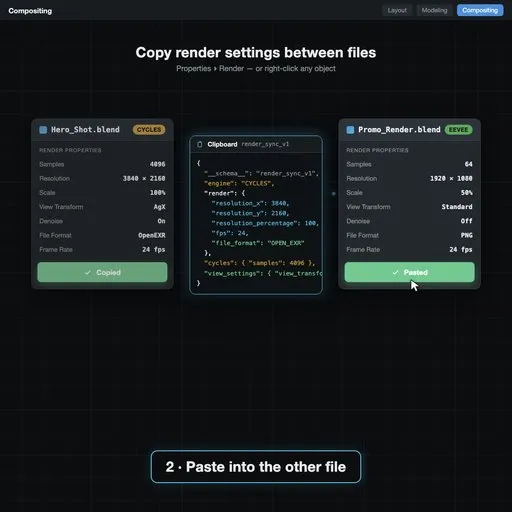
Render settings, two clicks
Matching render settings across shots means clicking through samples, denoising, resolution, output format, colour management and light paths in every single file — and one missed toggle later shows up as a shot that doesn't match.
CopyRender puts the whole render configuration on your clipboard, or in a file, and pastes it into any other Blender file.
- Copy to clipboard for a quick one-off transfer
- Save to file for a studio-wide preset you can hand around
- Paste into any project — sampling, denoising, output, colour management and more
- Keeps setups consistent across shots, artists and machines
Blender 4.2 or newer. MIT licensed. Also free at kunemann.com.
By


