
 Models
 Materials
 HDRIs
HDRIs
 Scenes
 Brushes
 Node Groups
 Printables
 Creators
 Creations
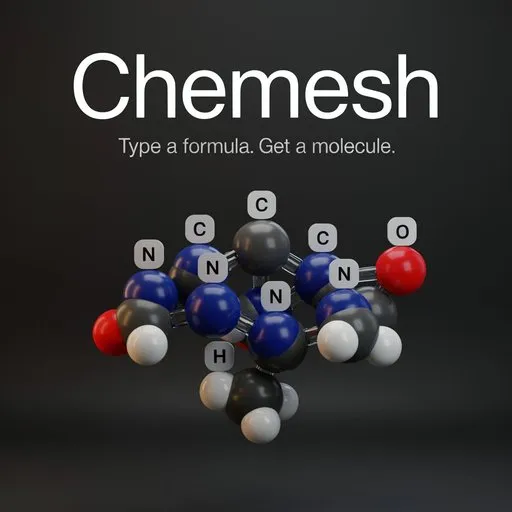
Chemesh
 add-on
Type a formula or a name - H2O, caffeine - and get a render-ready 3D molecule: real bonds from PubChem, element labels, textbook bond lengths and angles, a studio and a one-click best view. Blender 4.2 LTS and 5.x.
Lets go Chem.
Getting a molecule into Blender usually starts with finding a file you have never heard of, in a database you have never used. Chemesh starts with the name. Type "caffeine" or "H2SO4", press Build, and the molecule is in your scene — real atoms, real bonds, coloured, lit and framed.
What you need.
N INTERNET CONNECTION FOR MOST MOLECULES. Chemesh looks structures up on PubChem and names on Wikidata. It sends only the formula or name you type — nothing else, no account needed. It honours Blender's "Allow Online Access" setting. Offline it still builds 27 common molecules from its built-in library and simple molecules from VSEPR geometry.
Type it, Build it, render it
A new scene gets a studio on the first Build: three lights, a dark studio backdrop with reflections, a camera that follows your viewport — so F12 renders exactly what you see. Scenes you have already lit are never touched.
One button tries hundreds of angles, then checks the best of them for real — rays cast from the camera at every atom, bond, label and number — and picks the one where nothing hides anything. It places YOUR scene camera, with its own lens and your render size, so the whole molecule is in the shot. Press it again for a different good angle.
Textbook overlays
Element letters on cards above every atom, always facing you. Bond lengths and angles drawn where they are, measured on the real coordinates: 104.45° and 0.958 Å on water. Structures derived by VSEPR are marked ≈, because they are ideal values, not measurements.
It is real geometry
One mesh per molecule, driven by Geometry Nodes: ball-and-stick or space filling, per-element sizes, bond radius, double and triple bonds, polarity arrows — every slider live. Move an atom in Edit Mode and the measurements follow. Realize turns it into separate objects when you need them. Textbook CPK colours for the whole periodic table, as PubChem and Jmol draw them. Your materials are yours: CM_O, CM_C … are created once and never overwritten.


