
 Models
 Materials
 HDRIs
 Scenes
 Brushes
 Node Groups
 Printables
 Creators
 Creations
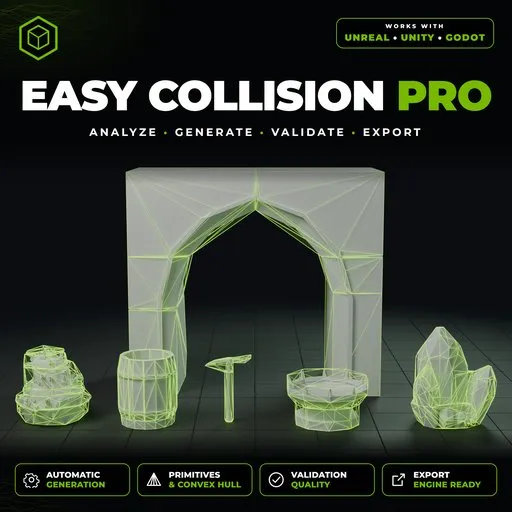
Easy Collision PRO - (UE5, Unity, Godot)
 add-on
Create clean, game-ready collisions in Blender for Unreal Engine 5, Unity 6, and Godot 4. Analyze meshes, generate optimized shapes, validate results, and export per engine.
Easy Collision PRO
Collision for Unreal, Unity and Godot. Done right, from one panel.
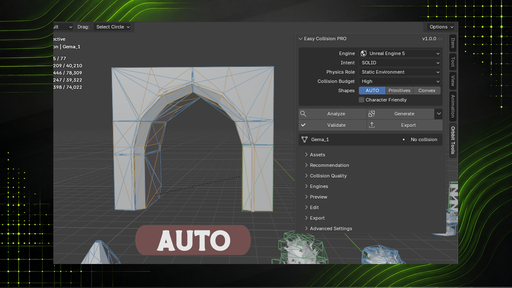
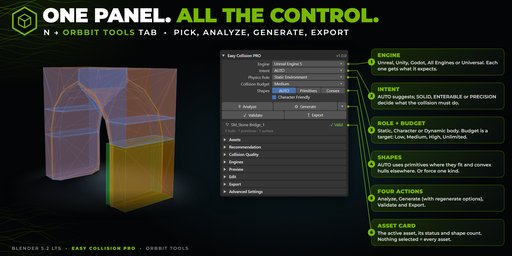
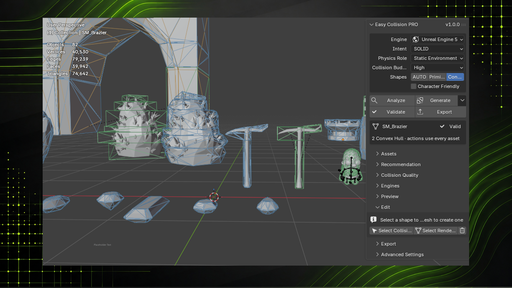
Stop hand-building UCX_ meshes and fixing colliders after import. Easy Collision PRO looks at your mesh, suggests how it should collide, builds clean collision shapes, checks them, and exports them the way each engine expects.
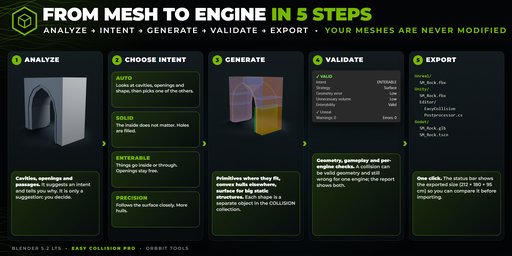
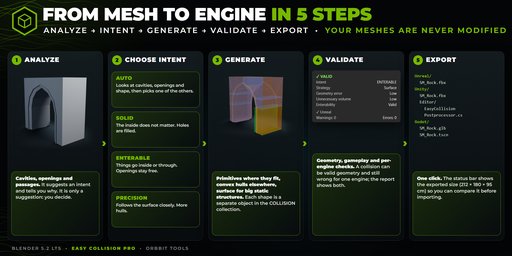
Analyze → Intent → Generate → Validate → Export
Your meshes are never modified.
Why it's not just an "auto convex" button
- It understands your mesh. It detects cavities, openings and passages, and suggests an intent. A doorway stays walkable, and a solid prop stays simple.
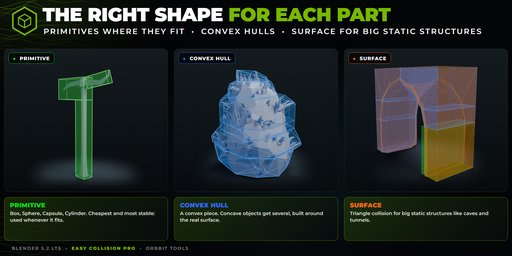
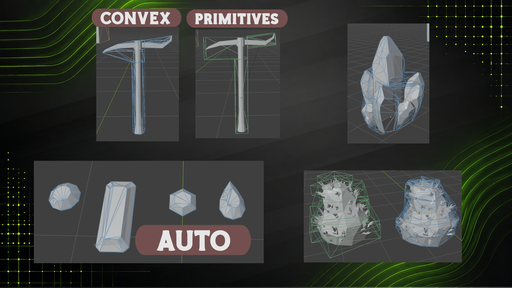
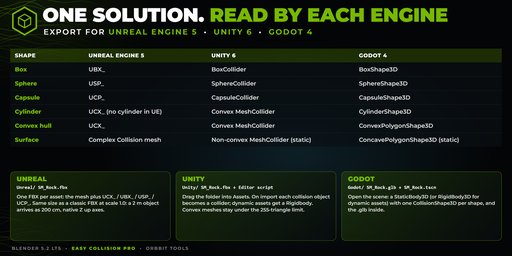
- Primitives first, hulls when needed. Each part gets a Box, Sphere, Capsule or Cylinder when it fits well, and a convex hull otherwise. Big static structures (caves, tunnels) can use surface collision.
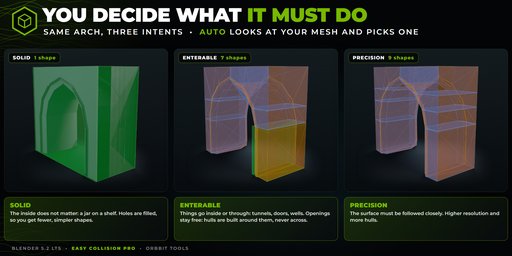
- You decide what the collision does:
- Solid: holes are filled, fewer shapes.
- Enterable: openings stay free.
- Precision: follows the surface closely.
- Auto: suggests one of the three.
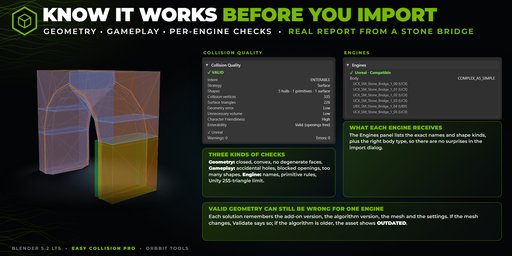
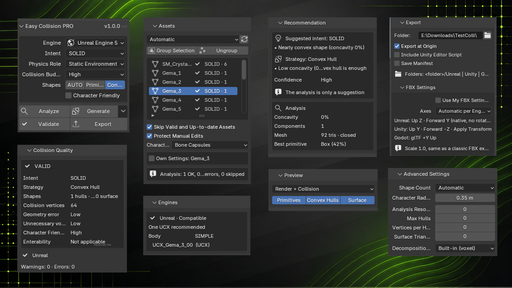
- It checks its own work. Geometry, gameplay and per-engine validation, with a ✓ ⚠ ✗ for each engine. It catches problems like Unity's 255-triangle limit or concave shapes on dynamic bodies before you import.
Built for real production
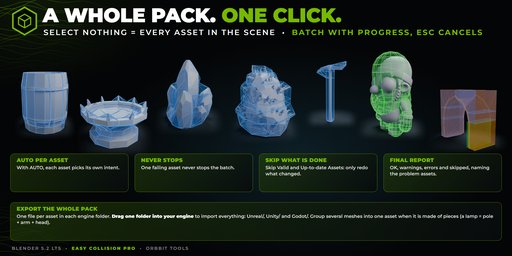
* Whole packs in one click. Select nothing and process every asset in the scene as a batch. One failing asset never stops the rest, and you get a final report.
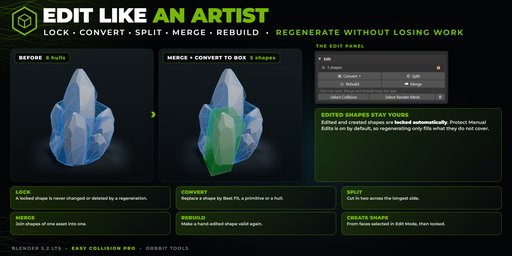
* Smart regeneration. Redo only what is invalid, outdated or selected. Locked shapes and your manual edits are always kept.
* Edit like an artist. Create a shape from selected faces, then Convert, Split, Merge or Rebuild it.
* Characters included. One capsule per bone from the skin weights, which follows any pose or animation.
* Preview what the engine will read. Engine Preview colors every shape by how the chosen engine interprets it.
* Safe. Works offline, with no network and no external dependencies. Exports use temporary copies.
* Interface in English or Spanish, following Blender's language.
Requirements and details
- Blender 5.2 LTS
- Panel in Sidebar (N) → Orbbit Tools
- Tested with about 2,700 automatic checks across 20 reference assets, every intent, static and dynamic bodies, and every engine
- License: GPL-3.0-or-later


