New features in Blender 2.92 🔗
Resolutions
All textured assets with higher original resolutions now have lower resolutions generated. This saves memory, speeds up all interactions, and also helps to render bigger scenes. Replace asset resolution command in the Selected model panel or in the Asset bar can be used to swap asset resolution.
HDR asset type 🔗

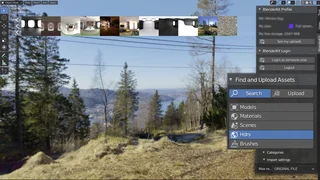
Now you can attach HDRs with a single click. This makes Blendkit (formerly BlenderKit) more complete for your everyday needs. There are so far only a few HDRs uploaded by Blendkit creators, but you are invited to upload more!
Scene asset type 🔗
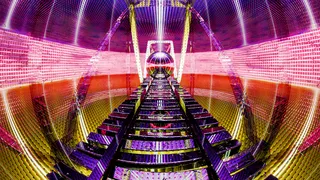
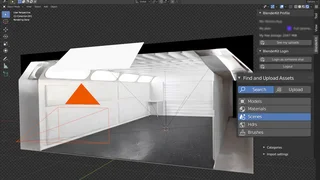
Blendkit scenes are templates to finish certain tasks, or usable as environment setups for your models. With a single click, you can have a render-ready setup where you can put your assets for rendering. There are also 4 template scenes for creating sculpt brush alphas and previews.
Automatic model thumbnailer 🔗
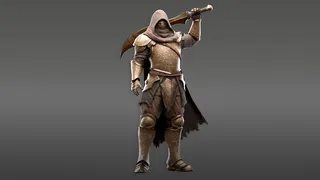
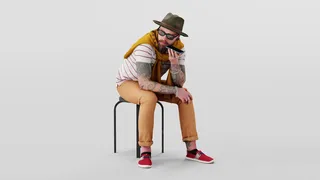
Lighting, angle of camera were changed. The setup uses a new HDR provided by Mike Radjabov. These changes have a great impact on the quality you can get with this automatic tool. Besides that, we are now much more strict regarding the thumbnails allowed into the database - You can check the quality in the gallery right now.

Particle system support inside Model asset type 🔗

Now you can drag-drop particle systems and these will automatically be transferred on the target mesh. This only includes specially preset particle systems, which is usually denoted in the name of the asset.
Upload refactored 🔗
Updating only metadata is now much faster since it happens in the background thread. If only the thumbnail is re-uploaded, background blender instance doesn't start.
New fast metadata editing 🔗
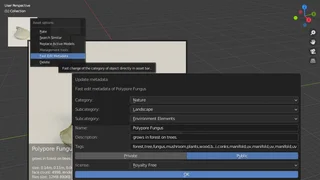
From the right-click menu in asset bar it's now possible quick-edit your asset metadata. This command supports the properties that are shared by all asset types and needs to be extended in future releases for the specific detail fields for the assets.
Improved snapping 🔗
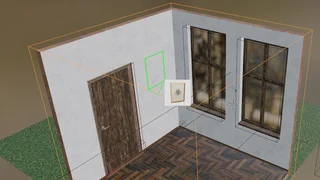
Snapping now ignores objects that are only drawn as bound boxes or are part of a particle system (like grass). This is especially useful if your scene has a lot of boolean modifier objects for purpose of cutting holes. Snapping also works on inverted normals objects by always snapping on the visible side of the mesh. Snapping works from inside of orthographic cameras.