
 Materials
 HDRIs
HDRIs
 Scenes
 Brushes
 Node Groups
 Printables
 Add-ons
 Creators
 Creations
 model
model
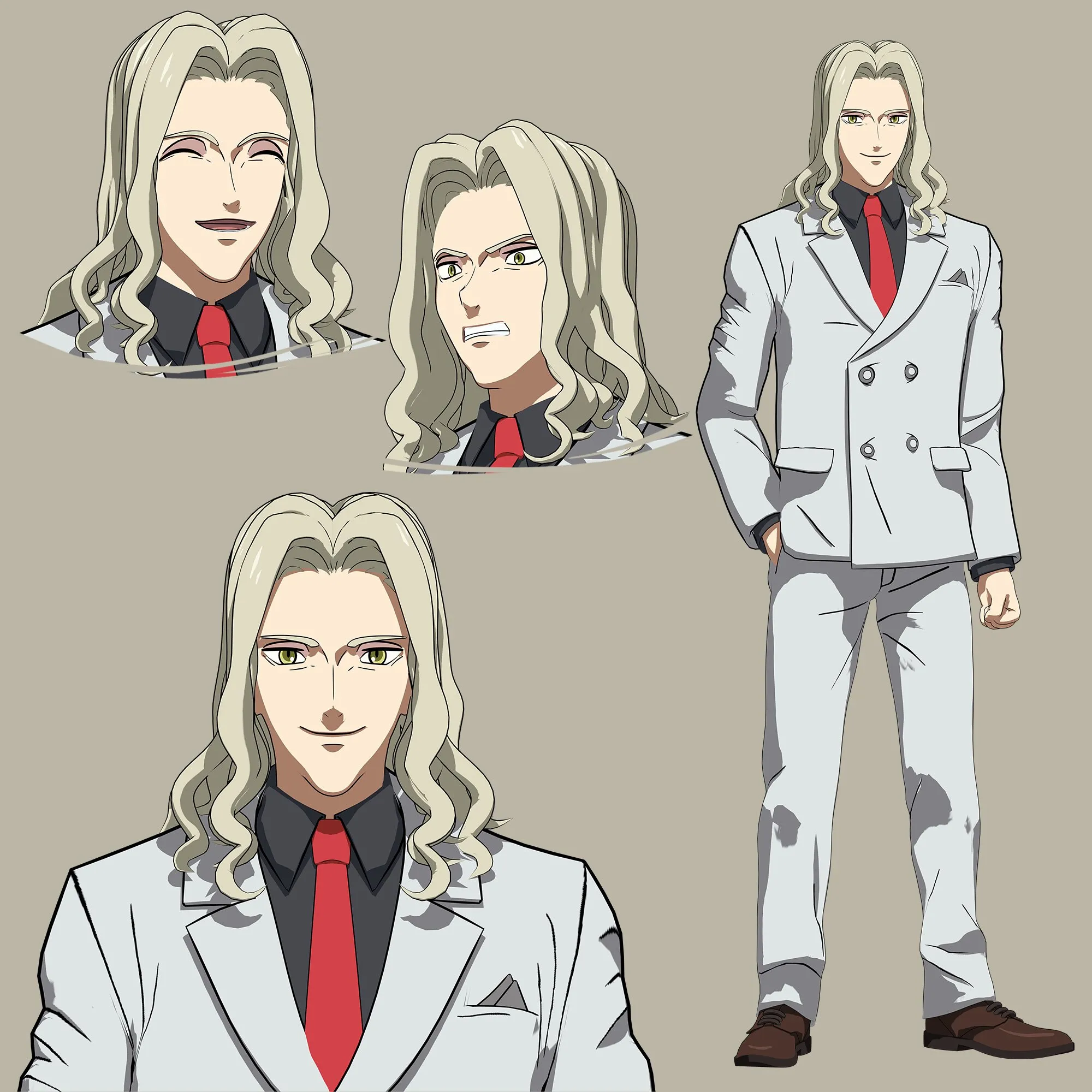
Peter Ratri - The Promised Neverland
Get this modelFully rigged Peter Ratri from the anime series The Promised Neverland! Featuring an advanced facial setup with automated drivers and an anime outline effect, this asset is fully optimized for use in animations or video games.
Key Features:
- Advanced Facial Setup: Includes 3 main expression types baked into Shape Keys (Joy, Anger, and Relaxed).
- Automated Drivers: To make the animation workflow as seamless as possible, all separate facial elements (eyebrows, eyelids, teeth, tongue, and eyes) are linked to the main head mesh using drivers. You only need to adjust a single slider on the main head, and the entire face will move perfectly in sync.
- Independent Control: If your project requires individual control over a specific part (e.g., animating only the mouth or just the brows), you can easily break the link by right-clicking the driven slider on that specific mesh and choosing "Delete Driver".
- Hybrid Animation System: The model features both a clean, functional facial bone rig and custom Shape Keys. The rig deforms the face topology correctly and smoothly. For the best and most expressive results, it is highly recommended to use a combination of both the rig and the shape keys.
- Clean Topology: Optimized geometry represented mostly by quads, ensuring clean deformations during animation.
- Anime Outline Effect: Features a stylized line-art setup to perfectly capture the original anime aesthetic.
- Light and Shadow Setup: To properly display the custom shadow pass and capture the distinct features of the face, simply add a basic light source to your scene and make sure the Eevee engine is active. The shader is optimized to look best with simple, clean illumination.
- Outline & Modifiers Control: You can quickly enable or disable the outline effect and subdivision in the modifiers tab by selecting the mesh and using Alt + Left Mouse Button (LKM) on the viewport display toggle.
- Shadow Artifacts: If you experience any strange shadow artifacts in your scene, simply turn off shadows in the Blender Eevee render settings.**
I hope everything is clear and easy to use! Enjoy working with the model. If you encounter any problems, have questions, or need custom adjustments, feel free to contact me here or via my ArtStation: [https://artstation.com/chpndl] — I will gladly help you out!


