
 Add-ons
 Models
 Materials
 HDRIs
HDRIs
 Scenes
 Brushes
 Node Groups
 Printables
 Creators
 Creations
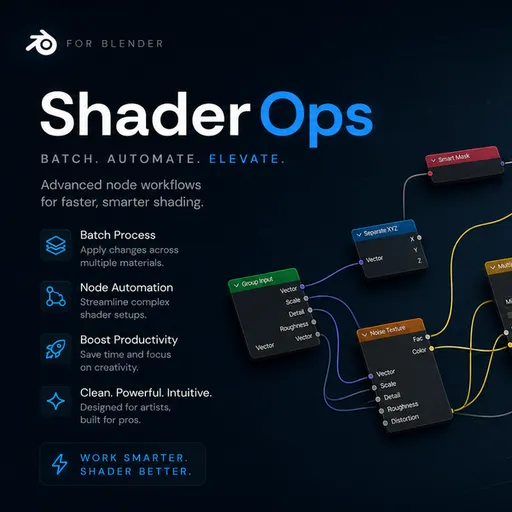
What Is This?
Shader Ops is a Blender addon that lives in the Shader Editor's sidebar (N-panel). It lets you perform bulk edits on shader nodes across many materials at once, using a simple 3-step pipeline:
- Pick a Scope — choose which materials to target (all, selected objects, or by name)
- Apply a Filter — narrow down to specific nodes by type, name, location, or count
- Run an Operation — execute an action like recolor, connect, delete, rename, or bulk-edit
Instead of editing nodes one material at a time, this addon can affect hundreds of materials in a single click.
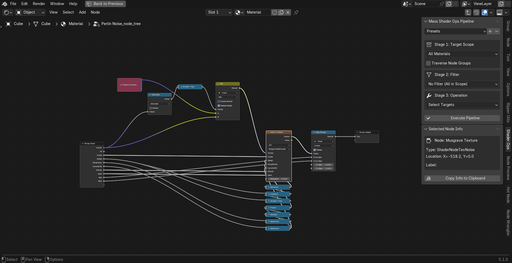
Overview & Key Features
Instead of editing nodes one material at a time, Shader Ops lets you define a scope, apply a filter, and run an operation — affecting hundreds of materials in a single click. Here's what you can do:
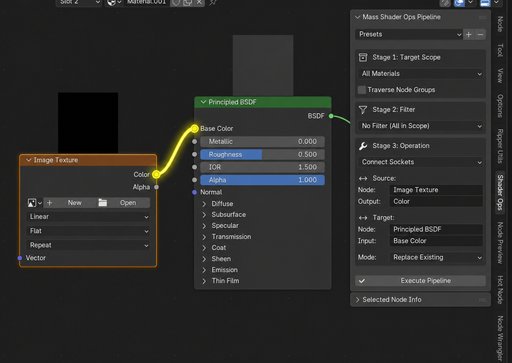
Batch Connect Sockets
Automatically link a specific output socket to an input socket across every material in your scene. Uses a smart fuzzy matching system that handles Blender's auto-renamed nodes (e.g., Image Texture.001).
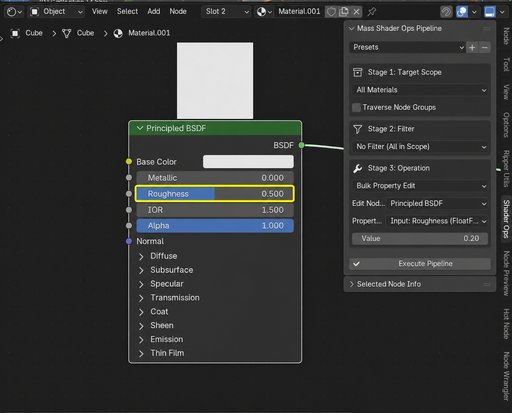
Bulk Property Edits
Change Roughness, Metallic, Emission, or any other node input/attribute simultaneously on every matching node. Supports smart type alignment — scalars auto-fill vectors, and vectors auto-slice to fit.
Organize with Frames
Wrap matched nodes in a named NodeFrame with a custom background color. Ideal for grouping texture nodes, math nodes, or any set of related nodes into visually distinct blocks.
Clean Unused Nodes
Find and delete orphaned or unconnected nodes, tidying up messy node trees in seconds. Choose between orphaned only (zero connections) or aggressive mode (no outgoing links). Output nodes are always protected.
Standardize Naming
Rename the name or label of all targeted nodes to enforce naming conventions. Works with any filter — rename by type, by location, or across your entire scene.
Color-Code Nodes
Apply a custom background color to targeted nodes so you can visually identify them at a glance. Toggle Use Custom Color on or off — turning it off resets nodes to Blender's default theme colors.
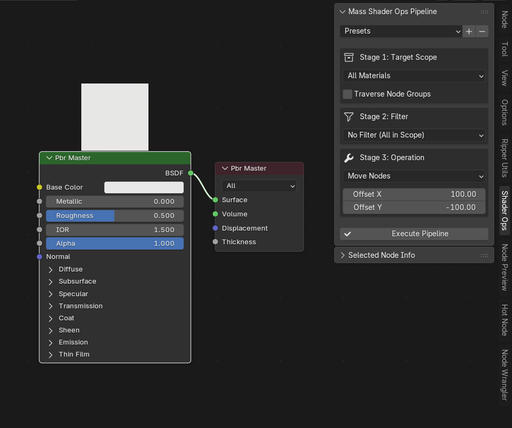
Move & Duplicate Nodes
Offset node positions by exact X/Y coordinates to fix overlapping layouts, or duplicate matched nodes with an offset. All RNA properties and socket defaults are copied to duplicates.
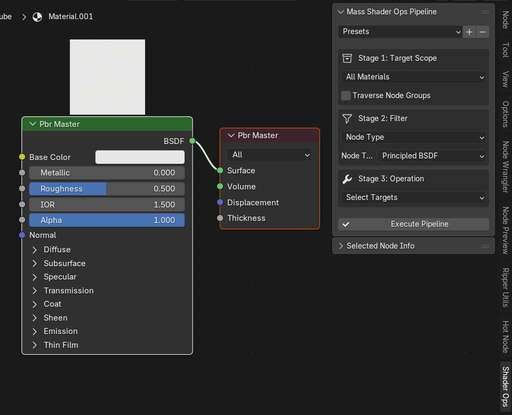
Select & Delete Targets
Select matching nodes (or objects with matching materials) in the viewport for inspection, or delete them outright. At the material level, entire materials are removed; at the node level, individual nodes are removed.
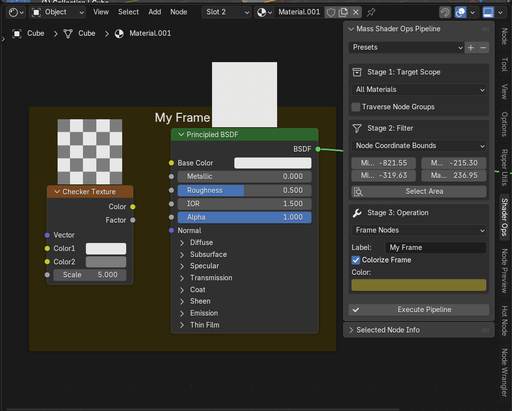
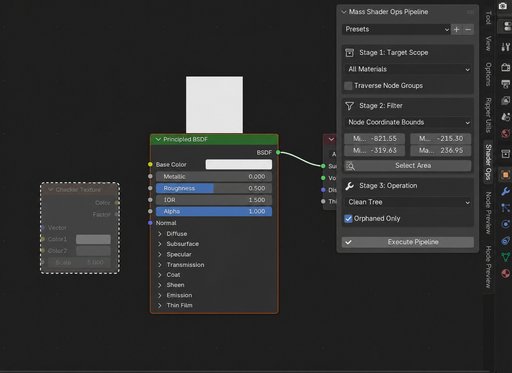
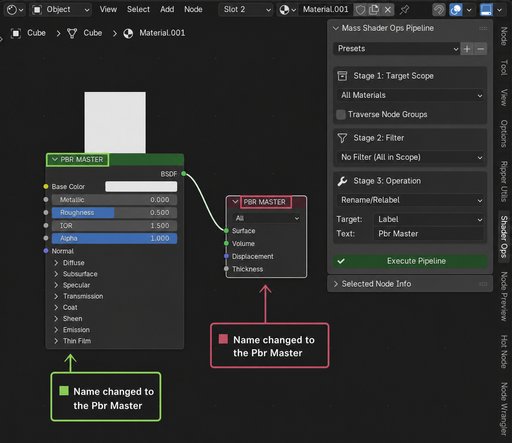
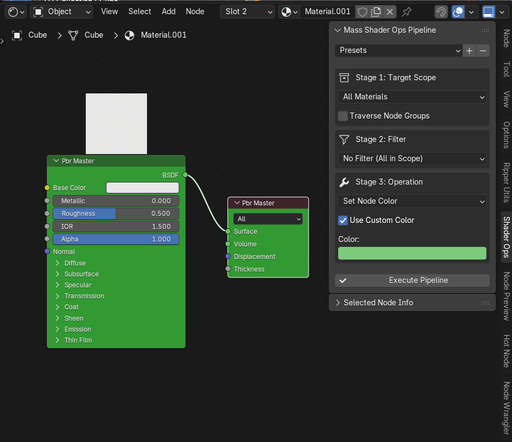
The 3-Step Workflow — In Detail
The core workflow is a pipeline that flows through three stages. Configure each stage, then click Execute Pipeline to run the operation.
Stage 1: Scope
Determines where the addon looks — which materials to scan.
Stage 2: Filter
Determines which nodes or materials pass through to the operation.
Stage 3: Operation
Determines what action is performed on the filtered targets.
For more details see this:
shaderops.pages.dev


