
 Models
 Materials
 HDRIs
HDRIs
 Scenes
 Brushes
 Node Groups
 Printables
 Creators
 Creations

Cleaner PRO
 add-on
Cleaner PRO is a Blender 5.2 add-on that automatically organizes scene objects into collections and gives you a visual canvas for managing your project structure.
Cleaner PRO helps you turn a cluttered Blender scene into a clean, predictable project structure in seconds.
With one click, the add-on detects the object types used in the current scene and creates only the collections that are actually needed. Meshes, cameras, lights, text, curves, armatures, volumes, and other supported object types are placed in their appropriate collections. Objects that are already organized correctly are left untouched.
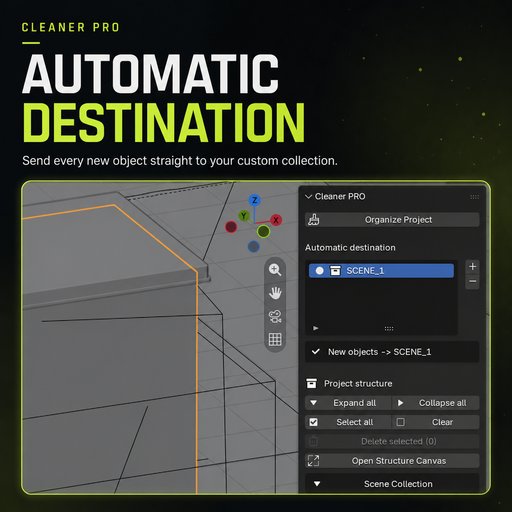
For custom workflows, Automatic Destination lets you create collections such as SCENE_1, SHOT_A, or ENVIRONMENT and automatically send every newly created object to the active destination. Collections are created immediately and remain part of the .blend project.
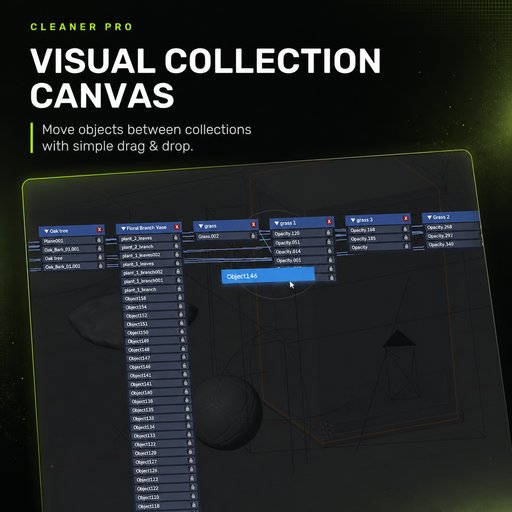
Cleaner PRO also includes Structure Canvas — a custom visual workspace for exploring and editing the collection hierarchy. Move collection cards freely, pan and zoom around the canvas, and drag objects from one collection to another. Every change is applied to the actual Blender scene immediately.
Key Features
- One-click scene organization.
- Creates only the collections required by the current scene.
- Sorts meshes, lights, cameras, text, curves, armatures, volumes, and more.
- Safe repeated organization without unnecessary relinking.
- Custom automatic destinations for newly created objects.
- Free visual canvas with collection hierarchy connections.
- Real-time drag-and-drop between collections.
- Object locks that prevent both automatic and manual movement.
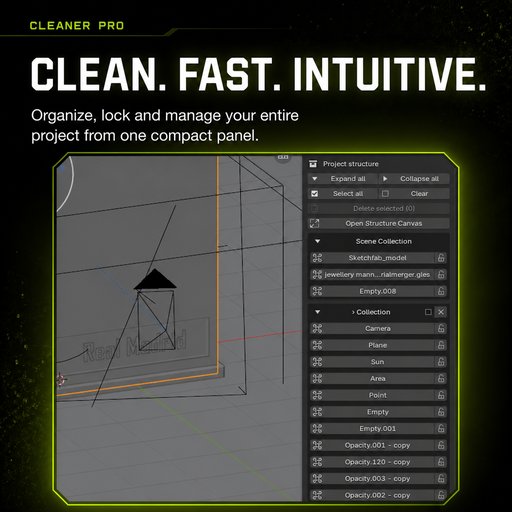
- Expand All and Collapse All controls.
- Complete object lists without hidden + more entries.
- Automatic collision-free collection card layout.
- Individual and bulk collection deletion.
- Safe deletion that preserves objects and nested collections.
- Canvas positions saved directly inside the .blend file.
Quick Start
- Open Edit → Preferences → Extensions.
- Choose Install from Disk and select the Cleaner PRO ZIP file.
- In the 3D Viewport, press N and open the Organizer tab.
- Click Organize Project to create a clean scene structure.
- Use + under Automatic Destination to create a custom destination, then enable its circular selector.
- Click Open Structure Canvas to open the visual collection workspace.
- Drag object cards onto collection cards to move objects in real time.
- Use the lock control to protect important objects from being moved.
- To remove several collections, select their checkboxes and click Delete Selected.
Deleting a collection never deletes its objects. Cleaner PRO safely moves its contents to the parent collection before removing it.
Compatibility
- Blender 5.0 or newer.
- Works with existing .blend projects.
- Settings and canvas positions are stored inside the project file.


