
 Models
 HDRIs
HDRIs
 Scenes
 Brushes
 Node Groups
 Printables
 Add-ons
 Creators
 Creations
 material
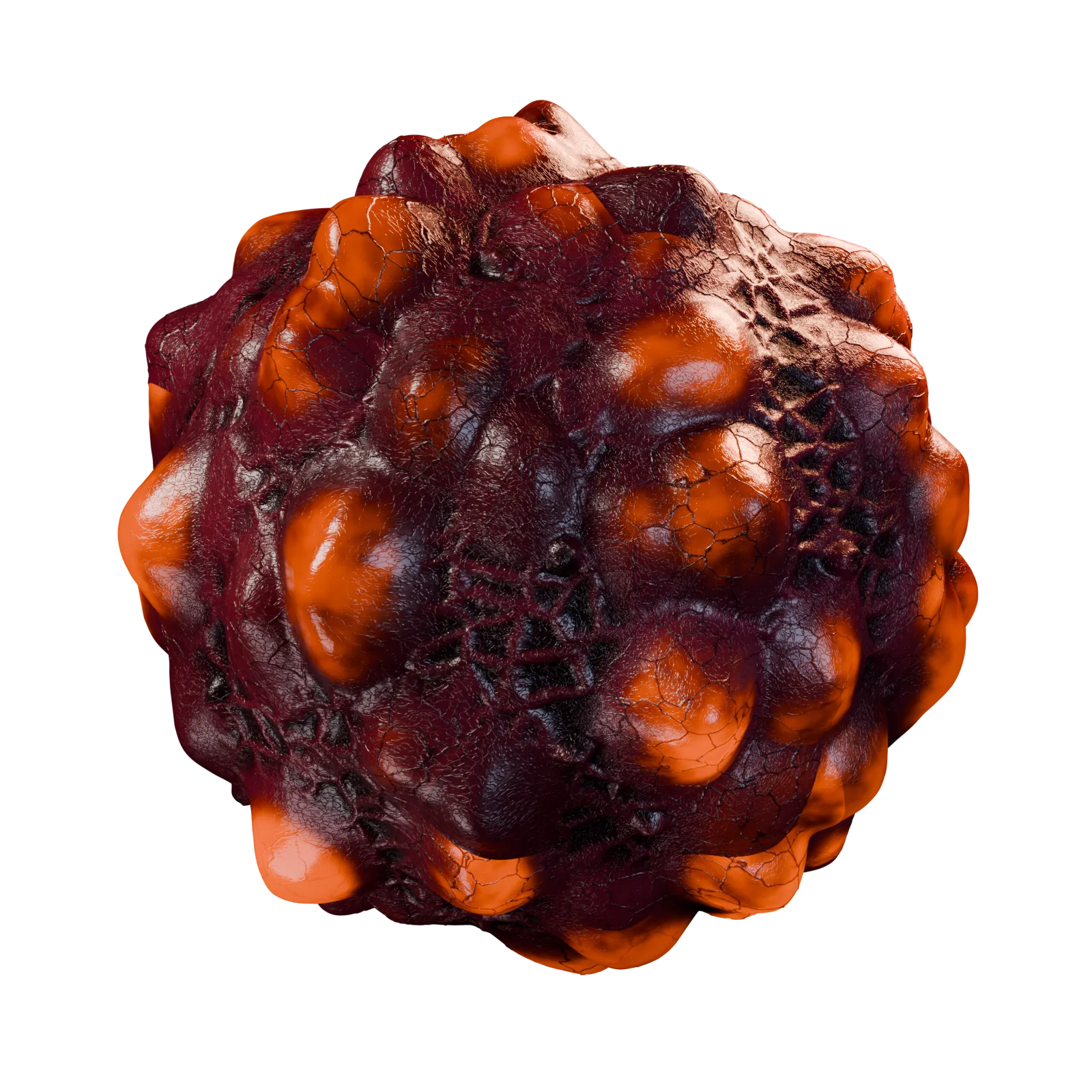
Xenopod Living Animated Alien Membrane
Get this materialA detailed procedural alien skin featuring swollen ovoid pods, branching vessels and wet, textured connective tissue. A gradual transition between opaque skin and translucent membranes reveals warm amber light beneath the surface. Subsurface scattering and true displacement create a convincing organic appearance.
Created entirely with native Blender nodes, this single material requires no image textures or UV mapping.
Static starting configuration
All animation-related parameters are initially set to 0, including the controls in Loop and Timing, giving you a static starting point. Animation is optional, and every effect can be enabled independently or combined with others.
Available animation effects
Breathing: pods slowly swell and contract in both height and width, with staggered timing.
Internal Light: soft amber illumination pulses beneath the membranes.
Vein Signals: small luminous signals travel through selected vessels.
Fluid Drift: cloudy shadows circulate beneath the pod surfaces.
Membrane Change: the skin gradually reveals and conceals the underlying pods.
Muscle Contraction: broad waves tighten the surrounding tissue and shift its wrinkles.
To enable animation, configure a positive loop duration, playback rate and the relevant cycle controls in Loop and Timing. Then increase Master Strength and your chosen effect strengths. Pod Swell Range controls the breathing deformation, while Contraction Depth controls the physical muscular indentation; these also need positive values for their respective movements.
Setting an individual effect strength to 0 disables it. Setting Master Strength to 0 restores the static appearance.
Appearance controls
Customize pod density, size, height, ovalness and variation, along with shell coverage, membrane transition, skin relief, fine veins, surface detail, wetness, tissue softness, colors and glow strength.
Rendering and displacementCycles is recommended for the intended displacement, translucency, subsurface scattering and wet reflections. Use Displacement and Bump with a sufficiently subdivided mesh. Adjust Pod Height, Skin Relief and Contraction Depth
For detailed final renders, disable any preview subdivision limits under Render Properties → Simplify and increase subdivision as needed.
to suit the receiving object’s size.
For detailed final renders, disable any preview subdivision limits under Render Properties → Simplify and increase subdivision as needed.


